![Roblox Scripts Hub [OFFICIAL 2026] » No Key Scripts](https://scripts-blox.com/wp-content/uploads/2025/11/Roblox-Script.webp)
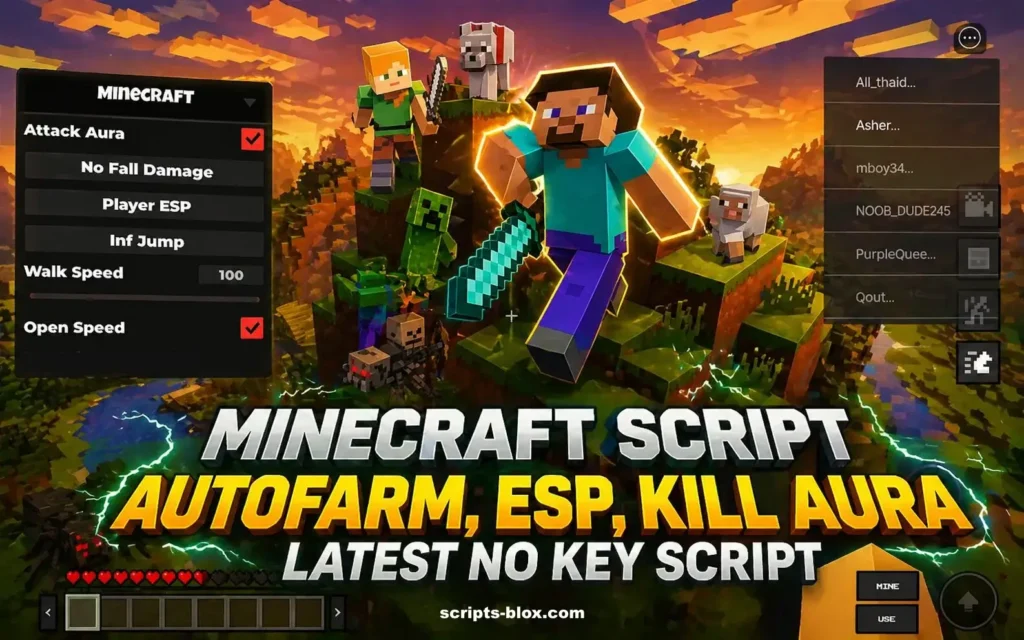
If you’re diving into Roblox’s growing collection of sandbox games, chances are you’ve come across a new Minecraft-inspired experience. One of the most powerful ways to enhance gameplay in these worlds is through a Minecraft Script. Whether you want automation, custom mechanics, or improved controls, scripts can completely transform how the game feels and functions.
This guide breaks down everything important about Minecraft scripts in Roblox without fluff so you can understand how they work and how to use them effectively.
What Is a Minecraft Script in Roblox?
A Minecraft Script in Roblox refers to custom-written code (usually in Lua) that modifies or enhances gameplay in Minecraft-style Roblox games. These scripts are not part of the original game design but are created to add extra features such as:
- Auto farming and resource collection
- Enhanced building tools
- Movement and camera improvements
- Custom UI elements
- Gameplay automation
They are typically executed using script executors compatible with Roblox.
Key Features of Minecraft Scripts
1. Automation Tools
Many scripts focus on reducing repetitive tasks. For example:
- Auto-mining blocks
- Auto-collecting dropped items
- Auto-crafting materials
This helps players progress faster without constant manual effort.
2. Enhanced Building Systems
Some scripts improve building mechanics by:
- Allowing instant block placement
- Enabling grid snapping or precision placement
- Removing placement delays
These features are especially useful for large-scale construction.
3. Player Movement Enhancements
Movement-related functions often include:
- Increased walk speed
- Fly mode
- No-clip (walking through objects)
These can make exploration quicker and more flexible.
4. Visual and Interface Improvements
Scripts may add:
- Custom menus
- Resource trackers
- ESP (highlighting objects or players)
This gives better control and visibility within the game.
Also Read: Da Hood Script Roblox » [Aimlock, No Key]
Latest Working Minecraft Script
- loadstring(game:HttpGet(“https://raw.githubusercontent.com/usprex-zero/7vijo/main/Ugaave”))()
- loadstring(game:HttpGet(“https://raw.githubusercontent.com/Ahma174/Tool/refs/heads/main/Minecraft%20Tools”))()
- loadstring(game:HttpGet(“https://raw.githubusercontent.com/ineedroob-main/Minecraft—End-Update-Script/main/script”))()
How Minecraft Scripts Work
Minecraft scripts in Roblox are typically written in Lua, the platform’s scripting language. They interact with the game’s existing systems by:
- Accessing in-game objects
- Modifying player properties
- Running loops for automation
- Triggering events based on conditions
To use them, players usually run the script through an external executor that injects the code into the game session.
Also Read: Block Tales Script » [No Key, Auto Dodge, God Mode]
Important Considerations
Script Compatibility
Not every script works with every Minecraft-style Roblox game. Each game has different systems, so scripts must be tailored or updated regularly.
Performance Impact
Heavy scripts with multiple features can:
- Cause lag
- Reduce FPS
- Lead to crashes on low-end devices
Using lightweight, optimized scripts is always better.
Security Risks
Scripts from unknown sources can include malicious code. Risks include:
- Account compromise
- Data theft
- Unwanted background processes
Always review scripts carefully before using them.
Game Rules and Restrictions
Many Roblox games have strict policies against script usage. Using them may result in:
- Temporary bans
- Permanent account suspension
Make sure you understand the game’s rules before running any script.
Best Practices for Using Minecraft Scripts
- Use scripts only in safe or private environments
- Avoid overly complex or bloated scripts
- Test scripts in small sessions before extended use
- Keep your tools and scripts updated
- Never use scripts from unverified or suspicious sources
Why Minecraft Scripts Are Popular
The appeal of Minecraft scripts in Roblox comes down to flexibility. Players can customize their experience far beyond what the base game offers. From speeding up progression to unlocking new creative possibilities, scripts give users more control over how they play.
Conclusion
A Minecraft Script can significantly enhance your experience in Roblox’s Minecraft-style games when used correctly. They offer automation, customization, and improved gameplay mechanics but they also come with risks that shouldn’t be ignored.
Understanding how these scripts work and using them responsibly is key. Focus on functionality, keep things secure, and prioritize performance for the best overall experience.