![Roblox Scripts Hub [OFFICIAL 2026] » No Key Scripts](https://scripts-blox.com/wp-content/uploads/2025/11/Roblox-Script.webp)
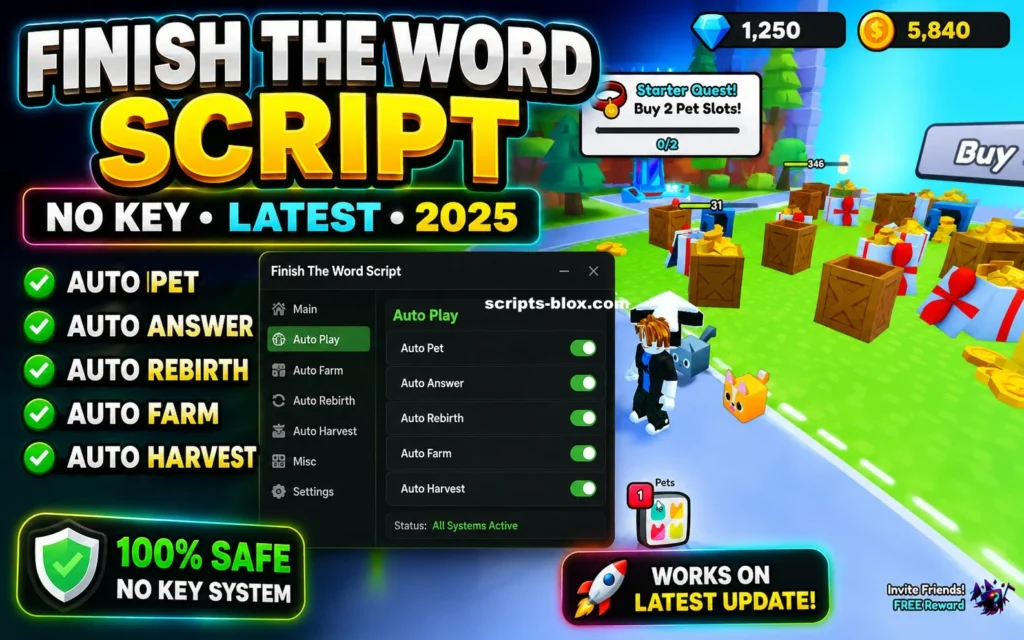
Finish The Word is a popular Roblox word puzzle game where players must quickly complete missing words before the timer runs out. The game tests vocabulary skills, spelling ability, and reaction speed. As the rounds become more difficult, players need to think faster and make fewer mistakes to stay ahead of the competition.
Because the game can become challenging, many players search for Finish The Word scripts that promise automation and additional gameplay features.
What Is a Finish The Word Script?
A Finish The Word Script is a custom Lua script designed to work with Roblox executors. These scripts may provide various automated functions that help players solve words more quickly or perform certain actions automatically.
Most scripts are created by community developers and are shared through script hubs and Roblox scripting communities.
Key Features of Finish The Word Scripts
- Auto Answer – Automatically detects and submits the correct word answer during gameplay.
- Fast Word Solver – Helps players identify missing letters and complete words faster than manual guessing.
- Auto Play – Allows the game to perform certain actions automatically without continuous player input.
- Instant Response – Reduces reaction time by automatically selecting or entering answers as soon as they are detected.
- User-Friendly Interface – Many modern scripts include a simple graphical interface that allows users to enable or disable features easily.
Also Read: Noob Incremental Script » Roblox [Keyless Script]
Why Do Players Use Finish The Word Scripts?
Players often use scripts for several reasons:
- To complete difficult word challenges faster.
- To save time during repetitive gameplay.
- To test automation features within Roblox.
- To experiment with Lua scripting and game mechanics.
However, not every player chooses to use scripts, as many prefer playing the game normally for a more challenging experience.
Latest Working Scripts
1. Word Helper + Auto Type (Best for Finishing Words Fast)
local player = game.Players.LocalPlayer
local gui = Instance.new("ScreenGui")
gui.Parent = player:WaitForChild("PlayerGui")
gui.Name = "FinishTheWordHelper"

local frame = Instance.new("Frame")
frame.Size = UDim2.new(0, 300, 0, 400)
frame.Position = UDim2.new(0.5, -150, 0.5, -200)
frame.BackgroundColor3 = Color3.fromRGB(30, 30, 30)
frame.Parent = gui

local title = Instance.new("TextLabel")
title.Size = UDim2.new(1, 0, 0, 50)
title.Text = "Finish The Word Helper [NEW PETS]"
title.TextColor3 = Color3.fromRGB(0, 255, 0)
title.BackgroundTransparency = 1
title.Parent = frame

local input = Instance.new("TextBox")
input.Size = UDim2.new(1, -20, 0, 40)
input.Position = UDim2.new(0, 10, 0, 60)
input.PlaceholderText = "Enter starting letter(s)"
input.Parent = frame

local suggestBtn = Instance.new("TextButton")
suggestBtn.Size = UDim2.new(1, -20, 0, 40)
suggestBtn.Position = UDim2.new(0, 10, 0, 110)
suggestBtn.Text = "Suggest Words"
suggestBtn.Parent = frame

local output = Instance.new("TextLabel")
output.Size = UDim2.new(1, -20, 0, 200)
output.Position = UDim2.new(0, 10, 0, 160)
output.Text = "Suggestions will appear here..."
output.TextWrapped = true
output.BackgroundTransparency = 0.5
output.Parent = frame

-- Simple dictionary (expandable, common long words for games)
local dictionary = {"apple", "banana", "catastrophe", "dinosaur", "elephant", "fantastic", "giraffe", "hippopotamus", "igloo", "jungle", "kangaroo", "llama", "magnificent", "narwhal", "octopus", "penguin", "quokka", "rhinoceros", "saxophone", "tiger", "umbrella", "victorious", "watermelon", "xylophone", "yacht", "zebra", "awesome", "brilliant", "creative", "dynamic", "excellent", "fantasy", "glorious", "harmony", "incredible", "journey", "knowledge", "legendary", "mysterious", "outstanding", "powerful", "quality", "remarkable", "spectacular", "tremendous", "unbelievable", "victory", "wonderful", "extraordinary", "phenomenal"}

local function suggestWords(startStr)
    local suggestions = {}
    for _, word in ipairs(dictionary) do
        if word:lower():sub(1, #startStr) == startStr:lower() then
            table.insert(suggestions, word)
        end
    end
    table.sort(suggestions, function(a, b) return #a > #b end) -- Longest first
    return suggestions
end

suggestBtn.MouseButton1Click:Connect(function()
    local start = input.Text
    if start == "" then return end
    local sugg = suggestWords(start)
    output.Text = "Top Suggestions:\n" .. table.concat(sugg, "\n")

    -- Auto type the longest one
    if #sugg > 0 then
        local word = sugg[1]
        wait(0.5)
        for i = 1, #word do
            game:GetService("VirtualInputManager"):SendTextInputEvent(word:sub(i,i))
            wait(math.random(0.05, 0.15)) -- Human-like typing
        end
        game:GetService("VirtualInputManager"):SendKeyEvent(true, Enum.KeyCode.Return, false, game)
        wait(0.1)
        game:GetService("VirtualInputManager"):SendKeyEvent(false, Enum.KeyCode.Return, false, game)
    end
end)

print("Finish The Word Helper loaded! Enter starting letter and suggest.")
2. Auto Farm + Pet Collector / Basic AFK Helper
local Players = game:GetService("Players")
local VirtualInput = game:GetService("VirtualInputManager")
local RunService = game:GetService("RunService")
local player = Players.LocalPlayer

print("Finish The Word Auto Farm + Pets loaded!")

-- Auto submit random/long words on prompt detection (adapt to game TextBox/Sound cues)
local autoFarm = true

RunService.Heartbeat:Connect(function()
    if not autoFarm then return end
    -- Example: Look for common word input areas (adjust paths if needed)
    local chatBar = player.PlayerGui:FindFirstChild("Chat") and player.PlayerGui.Chat:FindFirstChild("ChatBar")
    if chatBar then
        -- Simulate typing a safe long word
        local words = {"extraordinary", "phenomenal", "magnificent", "spectacular", "unbelievable"}
        local word = words[math.random(1, #words)]

        for i = 1, #word do
            VirtualInput:SendTextInputEvent(word:sub(i,i))
            task.wait(0.08)
        end
        VirtualInput:SendKeyEvent(true, Enum.KeyCode.Return, false, game)
        task.wait(0.1)
        VirtualInput:SendKeyEvent(false, Enum.KeyCode.Return, false, game)
        task.wait(math.random(8, 15)) -- Avoid spam detection
    end
end)

-- Simple Pet Equip Loop (simulate clicks on pet inventory if open)
task.spawn(function()
    while true do
        task.wait(30) -- Check every 30s for pets
        -- Example UI interaction (customize based on game hierarchy)
        local petFrame = player.PlayerGui:FindFirstChild("Pets") or player.PlayerGui:FindFirstChild("Inventory")
        if petFrame then
            print("Pet inventory detected! Equipping random pet...")
            -- Add specific button clicks here if you inspect game
        end
    end
end)

-- Toggle with chat command
player.Chatted:Connect(function(msg)
    if msg:lower() == "/toggle" then
        autoFarm = not autoFarm
        print("Auto Farm: " .. (autoFarm and "ON" or "OFF"))
    end
end)
Also Read: Unseen Liminality Script » Roblox [Keyless Script]
How to Use:
- Join Finish The Word ! [NEW PETS].
- Execute the script in your Roblox executor.
- For Script 1: Type starting letter – Suggest & Auto Type.
- For Script 2: It runs in background use /toggle in chat.
Benefits of Finish The Word Scripts
- Faster Progress
- Automated features may help players advance through rounds more quickly.
- Reduced Repetition
- Scripts can handle repetitive actions, making gameplay less tiring.
- Learning Opportunity
- Some users study scripts to understand how Roblox Lua scripting works.
- Convenience
- Helpful for players who want a more automated experience.
Are Finish The Word Scripts Safe?
Safety depends entirely on the source of the script. Scripts downloaded from unknown websites can contain harmful code, malware, or account-stealing attempts.
To stay safer:
- Use trusted Roblox scripting communities.
- Avoid downloading suspicious files.
- Never share your Roblox password.
- Scan downloaded files with antivirus software.
- Read community reviews before using any script.
Can You Get Banned for Using Scripts?
Roblox has rules against exploiting and unauthorized modifications. Using scripts may violate Roblox’s Terms of Use and could potentially result in warnings, restrictions, or account penalties.
For this reason, players should understand the risks before using any third-party script.
Tips for Finish The Word Players
Even without scripts, you can improve your performance by:
- Practicing common English vocabulary.
- Increasing typing speed.
- Paying attention to word patterns.
- Learning prefixes and suffixes.
- Playing regularly to improve reaction time.
These methods can help you become better at the game naturally.
Conclusion
Finish The Word is a fun Roblox word puzzle game that challenges players to think quickly and complete words under pressure. While Finish The Word scripts may offer features such as Auto Answer, Fast Solver, and Auto Play, players should always consider safety, reliability, and Roblox’s rules before using any third-party tools.
For most players, improving vocabulary, practicing regularly, and developing faster typing skills remain the best long-term ways to succeed in Finish The Word.