![Roblox Scripts Hub [OFFICIAL 2026] » No Key Scripts](https://scripts-blox.com/wp-content/uploads/2025/11/Roblox-Script.webp)
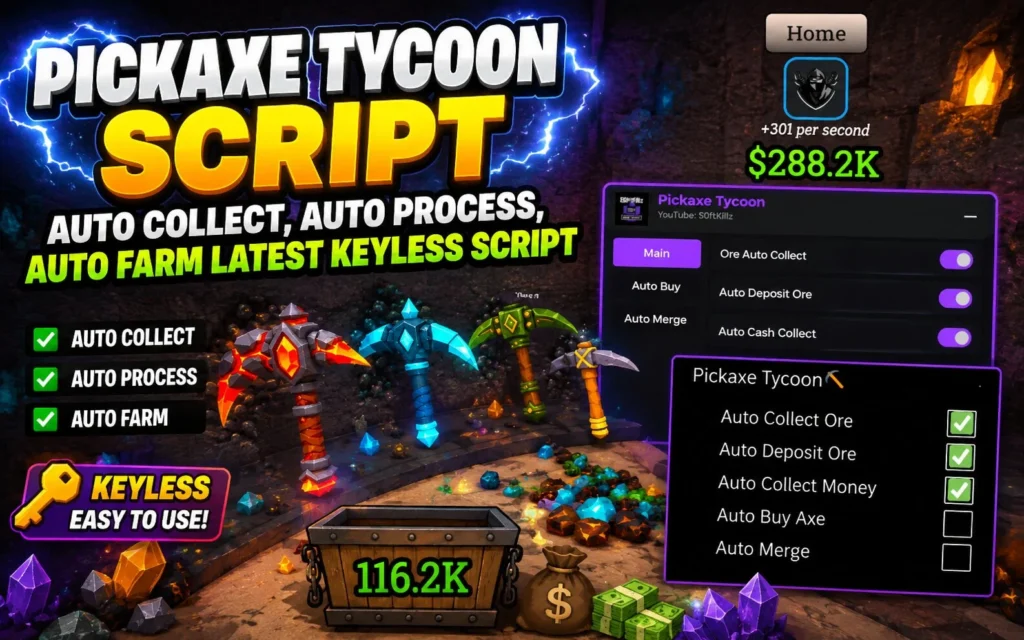
Roblox players who enjoy mining and tycoon-style gameplay often search for helpful scripts that can make grinding faster and easier. One of the most popular games in this category is Pickaxe Tycoon, where players mine resources, upgrade tools, and build their mining empire.
A Pickaxe Tycoon Script is designed to automate different in-game tasks such as mining, collecting rewards, and upgrading equipment. These scripts are mainly used by players who want to save time and improve their gameplay experience.
What Is Pickaxe Tycoon Script?
Pickaxe Tycoon Script is a custom Lua script made for Roblox executors. It helps automate repetitive actions inside the game so players can progress more quickly without doing everything manually.
Most scripts come with features like:
- Auto Mine
- Auto Farm Resources
- Auto Collect Coins
- Fast Upgrade
- Teleport Options
- Auto Rebirth
- Anti-AFK
These functions allow players to earn more in-game currency and unlock upgrades faster.
Features of Pickaxe Tycoon Script
Auto Mine
The script automatically mines blocks and resources without requiring constant clicking.
Auto Farm
This feature continuously farms materials and coins while you stay in the game.
Auto Collect
It instantly collects nearby rewards, drops, and coins to improve efficiency.
Fast Upgrades
Some versions include automatic pickaxe upgrades and tycoon improvements.
Anti AFK
Prevents players from getting disconnected due to inactivity.
Also Read: BBQ It Script » Roblox [Keyless Script]
Latest Working Scripts
1. Pickaxe Tycoon Script 1 – Auto Collect & Auto Process, Auto Merge, No Key
- loadstring(game:HttpGet(“https://raw.githubusercontent.com/X5Dermaster/Other-Script/refs/heads/main/PickaxeTycoon”))()
2. Pickaxe Tycoon Script 2 – Universal Auto Farm
- loadstring(game:HttpGet(‘https://raw.githubusercontent.com/VendorHarbor/GadeHubs/main/GadeHubs.lua’))()
3. Pickaxe Tycoon Script 3 – OP GUI Script, Auto Sell, Auto Buy, Infinite Farming
- loadstring(game:HttpGet(“https://gist.githubusercontent.com/user2084375/ef0c1434dc71b6bec4349ee57b04f1b5/raw/66f8d272ceecb1117226b0c7fd72a5850403399f/gistfile1.txt”))()
How To Use Script
- Open Roblox
- Launch Pickaxe Tycoon
- Open your Roblox script executor
- Copy any script above
- Paste into executor
- Click Execute
- Enjoy auto farming features
Why Players Use Pickaxe Tycoon Scripts
Many players use scripts because Pickaxe Tycoon can become repetitive after long play sessions. Automation helps reduce grinding and allows users to focus more on exploring and upgrading their tycoon.
Some common reasons include:
- Faster progression
- Easier farming
- Time saving
- Better gameplay experience
- Unlocking upgrades quickly
Also Read: Fight in a School Script » Roblox [No Key Script]
Is It Safe to Use?
Using scripts in Roblox always carries some risk. Players should be careful because unsupported third-party tools may lead to account warnings or bans. It is important to use trusted executors and avoid downloading files from unknown websites.
Conclusion
Pickaxe Tycoon Script is popular among Roblox players who want automated mining, farming, and faster progression. With features like Auto Mine, Auto Collect, and Auto Upgrade, these scripts can make gameplay more convenient and less repetitive.
Players should always use scripts responsibly and stay aware of the potential risks involved while using third-party tools in Roblox games.