![Roblox Scripts Hub [OFFICIAL 2026] » No Key Scripts](https://scripts-blox.com/wp-content/uploads/2025/11/Roblox-Script.webp)
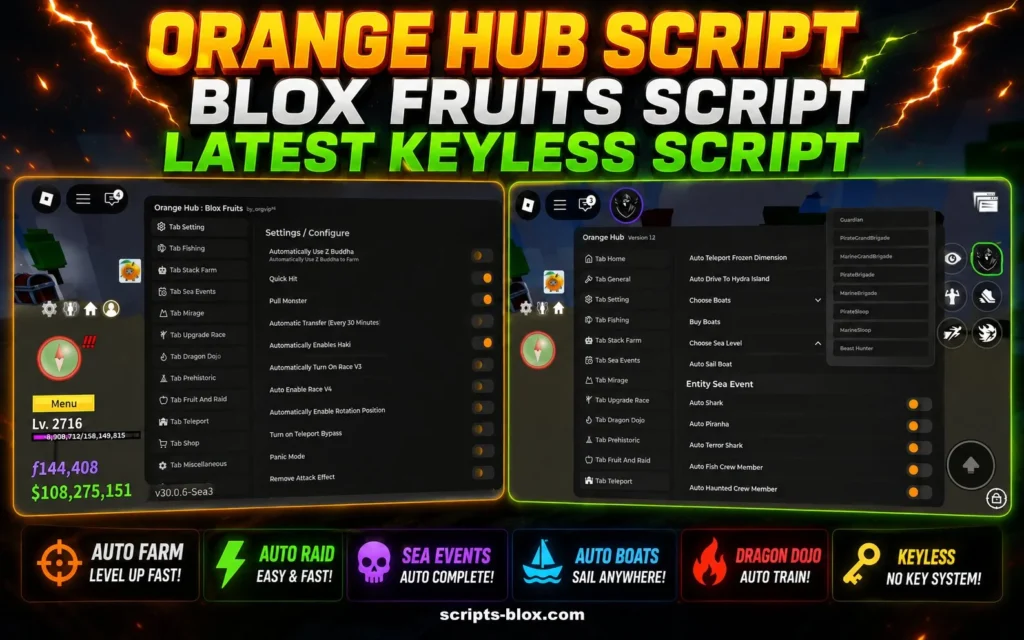
The Orange Hub Script is a popular Roblox script hub used by players who want access to extra in-game functions and customization tools. It is commonly discussed in the Roblox scripting community because of its simple interface, multi-game support, and regularly updated features.
Unlike basic single-game scripts, Orange Hub is designed as a hub system that can work across different Roblox experiences. Many users prefer it because it combines multiple functions in one place, making navigation easier and more organized.
What Is Orange Hub Script?
Orange Hub Script is a Roblox script package that provides different gameplay tools depending on the supported game. These tools may include automation options, movement enhancements, visual settings, and player utilities.
The script is usually executed through a Roblox executor, allowing the hub menu to appear inside the game. Once loaded, users can select available features directly from the interface.
Main Features of Orange Hub
Here are some commonly mentioned features found in Orange Hub:
- Clean and beginner-friendly interface
- Support for multiple Roblox games
- Regular script updates
- Fast loading performance
- Built-in game utilities and customization options
- Simple menu navigation
The exact functions can vary depending on the game being supported and the latest version of the hub.
Also Read: Violence District Script » [Auto Aim, No Key, God Mode]
Latest Working Script
1. Orange Script Hub (Universal / GUI Hub) – Most Direct “Orange Hub”
- loadstring(game:HttpGet(“https://pastebin.com/raw/p2cExTib”))()
- Features a custom Orange GUI with buttons for reanimations/dances (CurrentAngel, John Doe, etc.).
2. Orange Hub for Blox Fruits (Keyless Kaitun / Auto Farm)
- loadstring(game:HttpGet(“https://raw.githubusercontent.com/HieuDepTrai-Z/Dev_Orange/refs/heads/main/OrangeHub.lua”))()
- Popular for Auto Farm, Kaitun (Level 1 to Max), Sea Events, Fast Attack, Raid, Fruit Sniper, etc.
3. OrangeX Hub V5 (Universal / Multi-Game)
- loadstring(game:HttpGet(“https://raw.githubusercontent.com/ImJosh66/Ab2rW/main/ORANGEX%20V5%20RELEASED%20ORANGEX%20ON%20TOP%20.txt”))()
- Older but still referenced OrangeX variant supporting multiple games.
How to Use:
- Open your Roblox Script executor.
- Paste one of the scripts above.
- Execute and wait for the GUI to appear.
- Enable features (e.g., Auto Farm in Blox Fruits).
Why Players Use Orange Hub
Many Roblox players look for script hubs that are lightweight, easy to use, and frequently maintained. Orange Hub gained popularity because it focuses on usability instead of adding too many complicated controls.
Another reason users talk about this script is its compatibility with several popular Roblox games. Instead of searching for separate scripts, players can access different tools from one central menu.
Important Safety Information
Before using any Roblox script, players should understand the possible risks. Third-party scripts and executors may violate Roblox’s rules and could result in warnings or account restrictions.
To stay safer:
- Avoid downloading files from unknown websites
- Never share your Roblox password
- Use trusted community sources for information
- Be careful with fake or outdated versions
Keeping your account secure should always be the first priority.
Conclusion
Orange Hub Script remains one of the more recognized Roblox script hubs among scripting communities. Its easy interface, multi-game support, and lightweight design make it popular with users looking for an organized script experience.
As with any Roblox scripting tool, it is important to stay informed, use trusted sources, and understand the risks before installing or running any script-related software.