![Roblox Scripts Hub [OFFICIAL 2026] » No Key Scripts](https://scripts-blox.com/wp-content/uploads/2025/11/Roblox-Script.webp)
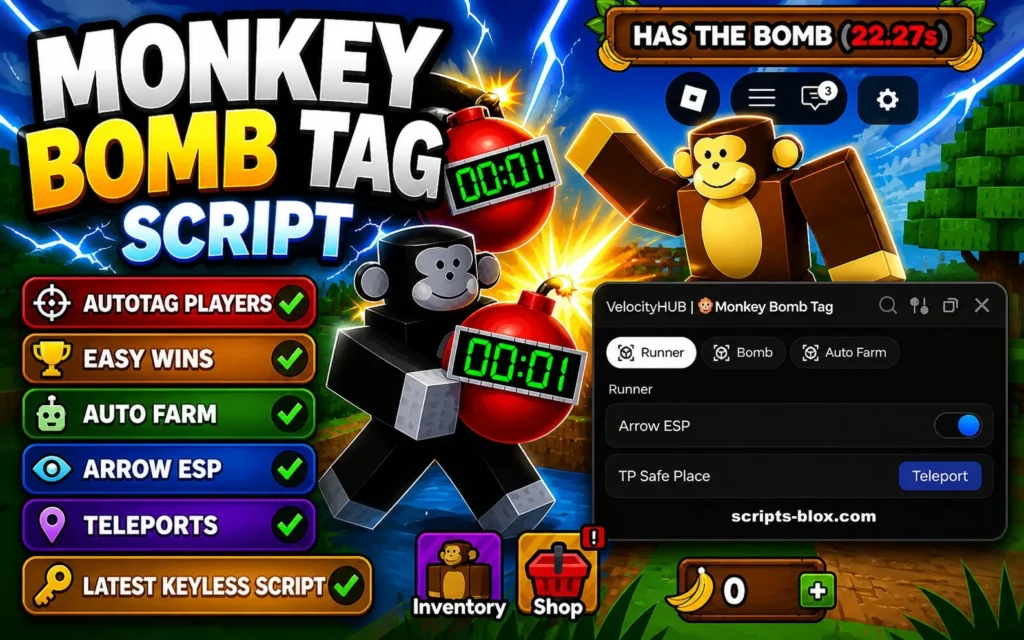
Monkey Bomb Tag is a fast-paced Roblox game where players chase, evade, and strategize in a chaotic tag-style environment. As the game has grown in popularity, many players have started searching for tools to enhance their gameplay one of the most talked-about being the Monkey Bomb Tag Script.
In this guide, you’ll learn what the script is, how it works, its features, and the potential risks involved. The goal is to give you a clear, honest, and helpful overview so you can make informed decisions.
What is Monkey Bomb Tag Script?
A Monkey Bomb Tag Script is a custom piece of code designed to run alongside the Roblox game to modify or automate certain in-game actions. These scripts are usually executed using third-party tools and can give players advantages such as automation, enhanced movement, or special abilities not normally available in the game.
In simple terms, it’s a way to “bend” the game mechanics to your favor but it operates outside the official rules set by Roblox.
Key Features
While different versions of the script exist, most Monkey Bomb Tag scripts offer a mix of the following features:
1. Auto Tag / Auto Catch
Automatically tags nearby players without requiring precise manual input.
2. Speed Enhancement
Increases your character’s movement speed, helping you chase or escape more effectively.
3. ESP (Player Tracking)
Shows the location of other players through walls or across the map, giving you a strong awareness advantage.
4. Infinite Jump or High Jump
Allows repeated jumping or boosted jump height for easier navigation.
5. Anti-Tag or God Mode (in some scripts)
Reduces or prevents the chances of being tagged, depending on how the script is designed.
Latest Working Script
1. VelocityHub Script (Most Recommended – Auto Farm, Arrow ESP, TP Safe Place, TP Runner)
- loadstring(game:HttpGet(“https://raw.githubusercontent.com/ZuRciu550/VelocityHUB-Monkey-Bomb-Tag/refs/heads/main/lua”))()
- Features: Auto Farm (Runner & Bomb), Arrow ESP, Teleport to Safe Place, TP to Runner, anti-detect, mobile + PC support.
How to Run Monkey Bomb Tag Script
Running a script typically involves a few technical steps. Here’s a simplified overview:
- Install a Script Executor
You’ll need a third-party Roblox script executor (software that runs scripts). - Copy the Script Code
Obtain the Monkey Bomb Tag Script from a trusted source. - Open Roblox and Launch the Game
Start Monkey Bomb Tag normally. - Attach the Executor
Connect the executor to the Roblox game process. - Paste and Execute
Paste the script into the executor and run it.
⚠️ Note: This process is not officially supported by Roblox and may violate their terms of service.
Also Read: Shells Script » Roblox [Keyless Script]
Risks You Should Know
Using scripts in Roblox isn’t harmless. There are real risks involved:
Account Ban
Roblox has strict policies against exploiting. Using scripts can lead to temporary or permanent bans.
Security Issues
Many scripts are shared online without verification. Some may contain malicious code that can harm your device or steal data.
Game Instability
Scripts can cause crashes, glitches, or unexpected behavior in the game.
Loss of Progress
If your account is penalized, you could lose in-game progress or items.
Pros and Cons
Pros
- Enhances gameplay with advanced features
- Can make the game feel easier or more exciting
- Useful for experimenting or learning scripting basics
Cons
- High risk of account suspension or ban
- Potential exposure to malware or unsafe files
- Unfair advantage over other players
- May ruin the intended game experience
Conclusion
The Monkey Bomb Tag Script can offer powerful features that change how the game is played, but it comes with significant trade-offs. While it might seem appealing to gain an edge, it’s important to weigh the risks—especially when it comes to account safety and fair play.
If you enjoy Monkey Bomb Tag, consider improving your skills naturally or exploring the game as intended. It’s often more rewarding and keeps your account secure in the long run.