![Roblox Scripts Hub [OFFICIAL 2026] » No Key Scripts](https://scripts-blox.com/wp-content/uploads/2025/11/Roblox-Script.webp)
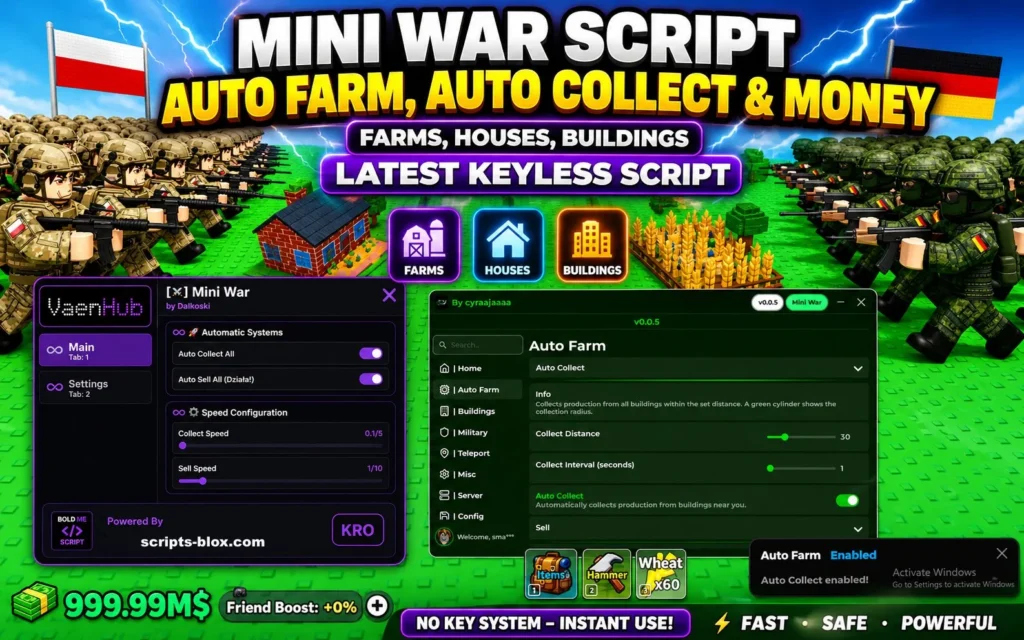
Roblox continues to evolve with new and engaging games, and Mini War is one of the latest titles gaining attention for its fast-paced combat and strategic gameplay. As with many competitive Roblox games, players often look for ways to enhance their experience, and that’s where Mini War scripts come into discussion.
This article provides a clear, helpful, and honest overview of Mini War scripts what they are, its features, how script use, and what you should consider before using them.
What is a Mini War Script?
A Mini War script is a custom piece of code designed to run alongside the game in Roblox. These scripts are typically executed using third-party tools and can modify or automate certain in-game actions.
Depending on the script, it may provide advantages such as:
- Automated targeting or shooting
- Enhanced movement or speed
- Resource farming automation
- Visual aids like enemy highlighting
It’s important to understand that these scripts are not part of the official game and are created
Key Features of Using a Script
Mini War scripts often include a range of features designed to improve gameplay efficiency or give competitive advantages. Common features include:
- Auto-Aim (Aimbot)
- Automatically targets opponents, making combat easier and more accurate.
- ESP (Extra Sensory Perception)
- Displays enemy positions, health, or distance through walls or obstacles.
- Auto-Farm
- Helps players collect rewards, currency, or experience points without constant manual input.
- Speed & Movement Enhancements
- Allows faster movement or special mobility features not normally available.
- No Recoil / Improved Accuracy
- Reduces weapon recoil for smoother shooting.
These features can make gameplay feel easier, but they also come with important considerations.
Also Read: Soccer Zero Script » Roblox [No Key Script]
Why Players Use Scripts
Players turn to Mini War scripts for different reasons, including:
- Saving time: Automating repetitive tasks like grinding or farming
- Improving performance: Gaining an edge in competitive matches
- Experimentation: Exploring game mechanics in new ways
- Accessibility: Helping less experienced players keep up
However, while scripts may seem helpful, they also impact game fairness and integrity.
Latest Working Script List
1. CyraaHub / Komtolmmek2script (Most Featured & Popular)
- loadstring(game:HttpGet(“https://raw.githubusercontent.com/LynX99-9/komtolmmek2script/refs/heads/main/CyraaHub.lua”, true))()
Features:
This is one of the most updated and recommended ones.
2. Vaenzz Loader (Simple Auto Collect + More)
Great for quick auto collect/sell – Very lightweight keyless option.
- loadstring(game:HttpGet(“https://raw.githubusercontent.com/vaenzz/Loader/refs/heads/main/Games”))()
Features:
- Auto Collect All
- Auto Sell
- Other automation systems
Good starter if you want something minimal.
How To Use a Script
Using a Mini War script generally involves a few technical steps:
- Get a Script Executor – You need a compatible executor tool that can run custom scripts within Roblox.
- Find a Script – Scripts are usually shared in online communities or forums.
- Inject the Executor – Launch Roblox, open Mini War, and attach the executor to the game.
- Paste and Execute – Copy the script into the executor and run it.
- Adjust Settings – Many scripts include menus where you can toggle features on or off.
Keep in mind that this process involves third-party software, which may not always be safe or reliable.
Risk & Safety Tips When Using Scripts
Before using any Mini War script, it’s important to understand the risks:
1. Account Ban Risk
Roblox has strict rules against exploiting. Using scripts can result in temporary or permanent bans.
2. Security Threats
Some scripts or executors may contain malware, keyloggers, or harmful code.
3. Data Privacy Issues
Downloading tools from untrusted sources can expose personal information.
4. Game Instability
Scripts may cause crashes, bugs, or performance issues.
Safety Tips:
- Only use trusted and well-reviewed tools
- Avoid downloading files from unknown sources
- Never share your Roblox account details
- Test scripts on alternate accounts instead of your main one
- Keep your antivirus software active and updated
Conclusion
Mini War scripts can offer powerful features that enhance gameplay, automate tasks, and provide competitive advantages. However, they come with significant risks, including account bans and security concerns.
If you decide to explore scripts, it’s essential to stay informed, cautious, and responsible. For many players, improving skills through normal gameplay remains the safest and most rewarding approach.
Ultimately, the choice depends on whether the short-term benefits outweigh the potential long-term consequences.