![Roblox Scripts Hub [OFFICIAL 2026] » No Key Scripts](https://scripts-blox.com/wp-content/uploads/2025/11/Roblox-Script.webp)
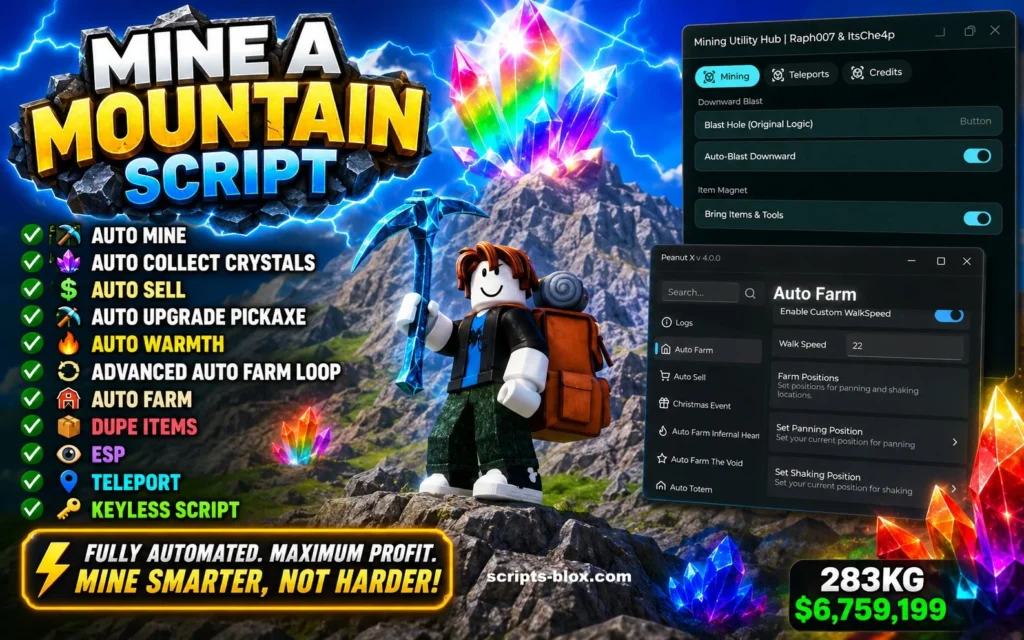
Mine a Mountain is a fun Roblox mining adventure where players dig through massive mountains, discover valuable resources, unlock better tools, and earn rewards as they progress. The game combines exploration, mining, and upgrading mechanics to create an enjoyable experience for both new and experienced Roblox players.
Many players look for scripts to automate repetitive tasks and make mining easier. A Mine a Mountain Script is designed to help automate certain in-game actions, allowing players to spend less time on repetitive grinding and more time enjoying the game.
What is a Mine a Mountain Script?
A Mine a Mountain Script is a custom Lua script created for Roblox that can automate various gameplay actions. Depending on the version, these scripts may perform tasks such as automatic mining, resource collection, teleportation, and other convenience features.
Scripts are typically used by players who want to reduce manual effort and speed up certain in-game activities.
Key Features
- Auto Mine
- Automatically mines blocks and resources without requiring constant player input.
- Auto Collect
- Collects nearby drops and rewards automatically, helping players gather resources faster.
- Fast Farming
- Speeds up the resource-gathering process, making progression more efficient.
- Teleport Options
- Quickly travel to important locations within the game map.
- Auto Sell
- Automatically sells collected resources when storage becomes full.
- Resource Detection
- Helps locate valuable ores and materials more easily.
- User-Friendly Interface
- Most modern scripts include simple menus that are easy to understand and use.
- Regular Updates
- Popular script developers frequently update their scripts to maintain compatibility with new game updates.
Also Read: TSUM Script Roblox » [Keyless Script]
Benefits of Using a Script
- Reduces repetitive grinding.
- Saves time during long mining sessions.
- Helps players progress faster.
- Improves overall convenience.
- Makes resource collection more efficient.
All Latest Working Scripts
1. Tora ISME Mine a Mountain Script (ToraHub) | FIND BEST CRYSTALS, ANTI DAMAGE, ESP
loadstring(game:HttpGet("https://raw.githubusercontent.com/gumanba/Scripts/refs/heads/main/MineaMountain", true))()2. Mine a Mountain Script – Crystal ESP, AutoFarm and More
loadstring(game:HttpGet("https://gist.githubusercontent.com/2RanmaChan2/d85484e7ff26eadee63e20f9069d8581/raw/1185a00d955831be354d47d6d8a79349288ba59f/Mine%2520a%2520Mountain%2520by%2520DonnieAzoff"))()3. M1n3 a M0unta1n Script (NO KEY)
loadstring(game:HttpGet("https://rawscripts.net/raw/Mine-a-Mountain-M1n3-a-M0unta1n-240002"))()4. Best Crystals Auto Sell Script (KEY)
loadstring(game:HttpGet("https://rawscripts.net/raw/Mine-a-Mountain-FIND-BEST-CRYSTALS-ANTI-DAMAGE-AUTO-SELL-ALL-ESP-And-MORE-239603"))()Is Mine a Mountain Script Safe?
Safety depends on the source of the script and the executor being used. Players should always be cautious when downloading files from unknown websites. Using scripts may violate Roblox’s Terms of Service and could result in warnings, restrictions, or account penalties.
To stay safe:
- Download only from trusted sources.
- Avoid suspicious files and executables.
- Use updated software.
- Never share your Roblox password or account information.
Frequently Asked Questions
Does Mine a Mountain Script work on all devices?
Most scripts are designed for platforms that support Roblox script executors. Compatibility varies depending on the executor and device.
Can I get banned for using scripts?
Roblox may take action against accounts that use unauthorized modifications or exploits. Always understand the risks before using any script.
Are all Mine a Mountain Scripts the same?
No. Different scripts offer different features, performance levels, and update schedules.
Conclusion
Mine a Mountain is an exciting Roblox game that rewards exploration, mining, and progression. A Mine a Mountain Script can help automate certain tasks and improve convenience during gameplay. Features such as Auto Mine, Auto Collect, Auto Sell, and Teleport options make these scripts popular among players looking to reduce repetitive grinding.
Before using any script, always consider safety, use trusted sources, and understand the potential risks involved. Staying informed and cautious will help ensure a better overall Roblox experience.