
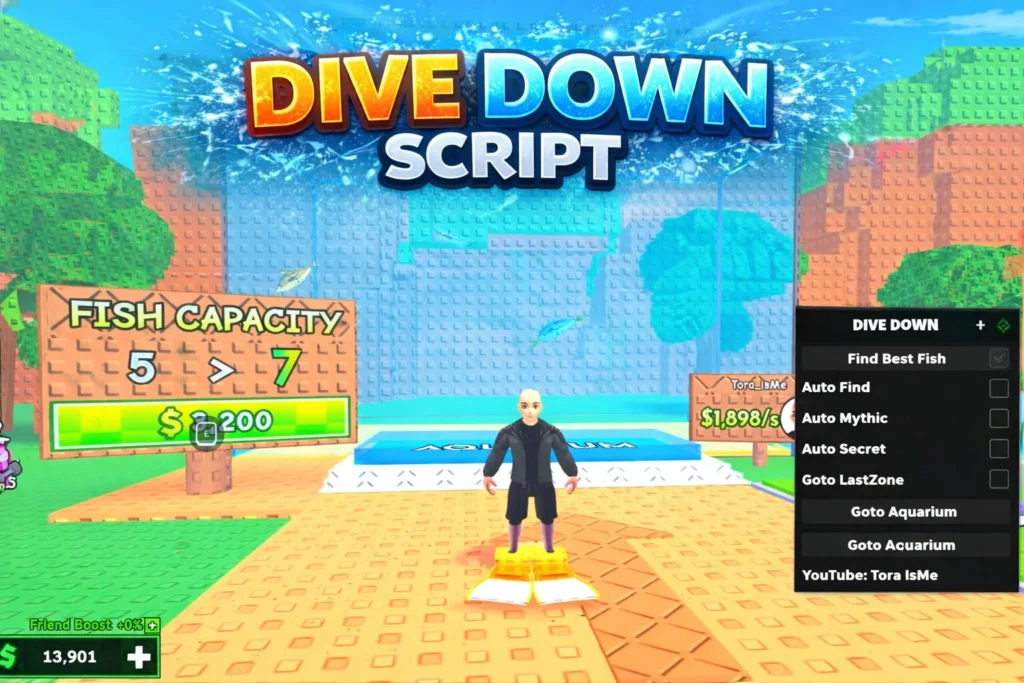
If you love playing underwater adventure games on Roblox, then you have probably heard about the Dive Down Script for the Roblox Dive Down game. Many players search for ways to improve their gameplay, explore deeper areas, and unlock rewards faster. That’s where the Dive Down Script comes into discussion.
In this complete guide, I will explain everything in simple and easy language – what Dive Down Script is, how it works, its features, risks, and important safety tips. Whether you are a beginner or experienced Roblox player, this article will help you understand everything clearly.
What is Roblox Dive Down Game?
Dive Down is an underwater adventure game on Roblox where players dive deep into the ocean to collect treasures, explore hidden areas, and upgrade their gear.
In the game, you usually:
- Dive underwater
- Collect coins or treasure
- Upgrade oxygen tanks
- Improve diving equipment
- Unlock deeper ocean levels
The deeper you go, the more rewards you can collect. But going deeper is not easy – you need better upgrades and more in-game currency.
What is Dive Down Script in Roblox?
A Dive Down Script is a custom code used with a Roblox executor tool to automate or enhance gameplay in the Dive Down game.
In simple words, it is a script that can:
- Auto collect coins
- Auto dive
- Increase movement speed
- Remove oxygen limits
- Teleport to treasure
Players use these scripts to progress faster without manually grinding for hours.
⚠️ Important: Scripts are unofficial and not created by the game developers.
Also Read: Blind Shot Script [NO Key] Roblox Script (March 2026)
Popular Features of Dive Down Script
Here are some common features found in most Dive Down Scripts:
- Auto Collect
- This feature automatically collects coins and treasures around your character. You don’t need to manually swim to each reward.
- Auto Dive / Auto Farm
- It repeatedly dives down and collects rewards automatically. This helps in fast farming.
- Infinite Oxygen
- Normally, your oxygen runs out while diving. Some scripts remove this limit so you can stay underwater longer.
- Teleport to Deep Area
- Instantly teleport to deeper ocean levels without upgrading step-by-step.
- Walk Speed / Swim Speed Boost
- Increase character speed for faster gameplay.
Latest Dive Down Script 2026
1. Best Overall / Most Used (Tora Hub / gumanba) – Keyless + GUI
loadstring(game:HttpGet(“https://raw.githubusercontent.com/gumanba/Scripts/main/DiveDown”))()
2. New GUI Version (Auto Farm + Auto Buy All)
loadstring(game:HttpGet(“https://pastefy.app/lNKXCpZx/raw”))()
3. Working GUI (Pastebin) – Clean & Fast
loadstring(game:HttpGet(“https://pastebin.com/raw/0q0mmLTE”))()
How Does Dive Down Script Work?
Dive Down Script works using a Roblox executor. An executor is a program that runs custom Lua scripts inside Roblox games.
Basic working process:
- Install Roblox
- Install a script executor (PC or mobile supported version)
- Copy the Dive Down Script code
- Paste it inside executor
- Attach to Roblox game
- Execute the script
After execution, a script menu usually appears on screen with options to enable features.
Also Read: Blox Fruits Auto Farm Script – Roblox Script (2026)
Is Dive Down Script Safe?
This is a very important question.
Using scripts in Roblox games can be risky because:
- Roblox may detect unusual activity
- Your account may get temporarily banned
- In some cases, permanently banned
- Unsafe executors may contain viruses
Roblox has strict rules against exploiting and using third-party scripts.
So always understand:
Using scripts is against Roblox’s official rules.
If your account is important, avoid using risky tools.
Advantages of Dive Down Script
- Faster progression
- Easy farming
- Unlock deep levels quickly
- Saves time
- Automatic gameplay
For players who don’t want to grind for hours, scripts may look attractive.
Disadvantages of Dive Down Script
- Account ban risk
- Game progress reset
- Malware risk from fake script websites
- Ruins fair gameplay
- May stop working after game update
Game developers regularly update their game to patch exploits.
Tips to Progress Faster Without Script
If you want to grow safely in Dive Down game, here are better options:
- Focus on upgrading oxygen first
- Upgrade bag capacity
- Join active servers
- Play during events for bonus rewards
- Use in-game boosts if available
- Team up with friends
This way, you can enjoy the game safely without risking your account.
Why Do Players Search for Dive Down Script?
Most players search for Dive Down Script because:
- Grinding takes time
- Deep levels need expensive upgrades
- They want instant rewards
- They want to explore hidden areas quickly
But remember, real fun comes from fair gameplay and progression.
Important Things to Remember
- Scripts are unofficial
- Roblox does not support exploit tools
- Never share your Roblox password
- Avoid suspicious download websites
- Protect your main account
If you still want to test scripts, use a secondary account (but risk still exists).
FAQs
What is Dive Down Script in Roblox?
Dive Down Script is an unofficial Lua script that adds extra features like auto farming and speed boost in the Dive Down game.
Is Dive Down Script safe to use?
No script is 100% safe. Using scripts can result in warnings or permanent bans in Roblox.
Does Dive Down Script work after game updates?
Sometimes scripts stop working after updates because developers fix exploits. Script creators need to update the code again.
Final Words
Dive Down Script in the Roblox Dive Down game helps players farm coins, dive deeper, and unlock upgrades faster. It offers features like auto farm, speed boost, and infinite oxygen, which make gameplay easier and quicker.
However, using scripts is against Roblox rules and can lead to account ban or security risks. If your account is important to you, it is always safer to play normally and enjoy the game step by step.
In the end, Dive Down is about fun, exploration, and adventure — and playing fairly makes the experience more enjoyable.