![Roblox Scripts Hub [OFFICIAL 2026] » No Key Scripts](https://scripts-blox.com/wp-content/uploads/2025/11/Roblox-Script.webp)
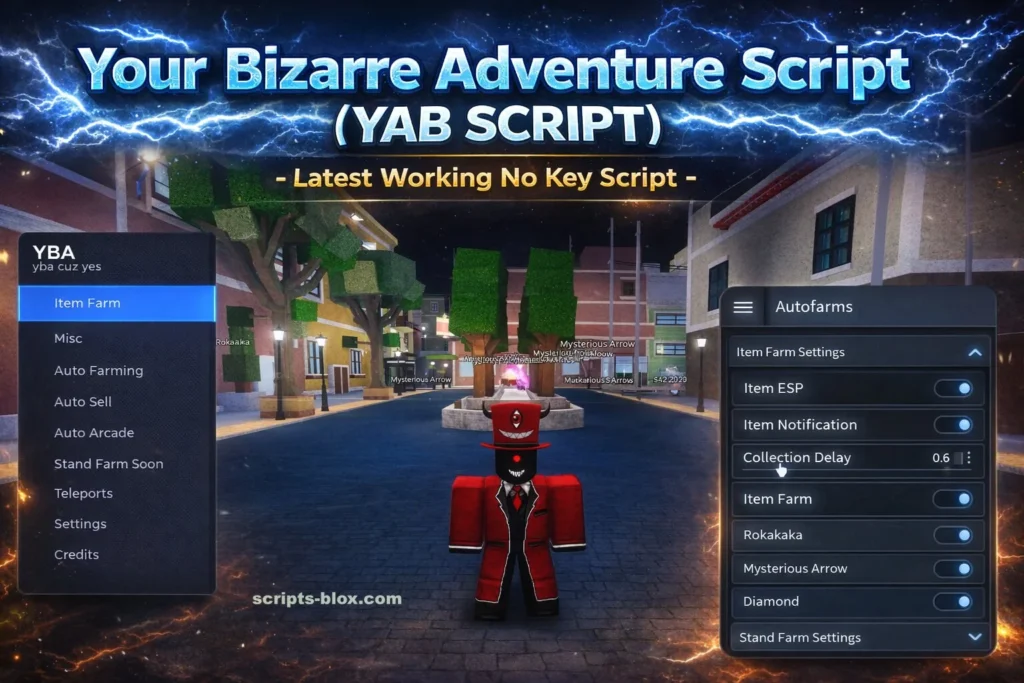
Your Bizarre Adventure (often abbreviated as YBA) is one of the most popular anime-inspired games on Roblox, drawing heavy inspiration from JoJo’s Bizarre Adventure. With its deep combat system, unique “Stand” mechanics, and competitive gameplay, many players look for scripts to enhance or automate certain aspects of the game.
In this article, we’ll break down what a YBA script is, its features, how it works, its advantages and risks, and what you should know before using one.
What Is a Your Bizarre Adventure Script?
A Your Bizarre Adventure script is a piece of custom code used within the game to automate actions or unlock additional features. These scripts are typically executed using third-party tools known as “executors.”
Players use scripts for things like:
- Auto-farming experience or items
- Faster leveling
- Combat assistance
- Teleportation or movement boosts
In simple terms, scripts are shortcuts that can reduce the grind and make progression faster.
Why Players Use YBA Scripts
YBA is known for its progression system, which can take time and effort. That’s one of the main reasons scripts have become popular.
1. Time Saving
Leveling up, collecting items, and grinding for rare Stands can be repetitive. Scripts automate these processes, saving hours of gameplay.
2. Improved Efficiency
Scripts can perform actions faster and more consistently than a human player, especially in farming or combat.
3. Competitive Edge
In PvP modes, some scripts provide advantages such as better reaction timing or automated combos.
Common Features in YBA Script
While scripts vary depending on their creator, most include a combination of the following features:
- Auto Farm: Automatically defeats NPCs and collects rewards
- Auto Quest: Accepts and completes quests without manual input
- Item Farm: Searches and collects items across the map
- Teleportation: Moves instantly to specific locations
- Stand Farming: Helps players obtain desired Stands faster
- ESP (Extra Sensory Perception): Shows items, enemies, or players through walls
These features can make gameplay smoother but also significantly alter the intended experience.
Latest Working YBA Script
1. VolmaksDev YBA Script (TP AutoFarm, StandFarm, ESP, Anti-AFK)
- loadstring(game:HttpGet(“https://raw.githubusercontent.com/volmaksDev/My-Scripts/refs/heads/main/YBA.lua”))()
- Features: TP Auto Farm, Stand Farm, Player Settings, ESP. Updated recently.
2. Azure Hub (ZuAzure.Hub) – Feature-Rich Optimized GUI
- loadstring(game:HttpGet(“https://raw.githubusercontent.com/weatherwess-lgtm/Azure/refs/heads/main/ZuAzure.Hub”))()
- Features: Auto farm, Keyless, stand farm, item ESP, clean UI (Azure Edition). Great for mobile/PC.
3. Kolgie YBA GUI (Autofarm Items/NPCs, Standfarm + Shinies, ESP)
- loadstring(game:HttpGet(“https://raw.githubusercontent.com/kolgie/YBA-GUI/main/yba-gui-obfuscated.lua”))()
- Features: Autofarm items & NPCs, stand farm (shinies), player/item ESP. Very popular older hub still referenced in 2026.
4. Xenon Hub V3 / V4 (Auto Quest, Lucky Arrow, Shiny Farm)
- loadstring(game:HttpGet(“https://raw.githubusercontent.com/Vezise/vezzyscripts/main/xenonv3_source”))()
- Features: Auto farm quests, stands, items, kill aura options. Often updated for new seasons.
7. NukeVsCity / YCY Hub Style
- loadstring(game:HttpGet(“https://raw.githubusercontent.com/NukeVsCity/hackscript123/main/gui”))()
- Features: General YBA GUI with auto farm, money/items, and common exploits. Older but frequently mirrored.
8. Methion / Block Bot Style (Auto Block + Farm)
- loadstring(game:HttpGet(“https://raw.githubusercontent.com/induchSandWitch/IdiotBot/refs/heads/main/ByMethion”))()
- Features: Auto block, farming support, useful for PvP + grind combo.
9. Diablo Hub I Yba Best script
- Features: Teleport, Auto sell, ESP, No Clip
- loadstring(game:HttpGet(“https://raw.githubusercontent.com/Methions/Methion/refs/heads/main/Rested”))()
Also Read: Jujutsu Shenanigans Script – Kill Aura, God Mod, Auto Block, Auto Attack Scripts
How To Use Script
- Open Roblox and join Your Bizarre Adventure game.
- Open your Roblox executor (Xeno, Wave, Delta, Fluxus, etc.).
- Copy any one YBA script loadstring from my previous message.
- Paste it into the executor and click Execute / Attach.
- A GUI will appear – turn on Auto Farm, ESP, or Stand Farm and enjoy!
Risks of Using Scripts
While scripts may seem appealing, they come with serious downsides.
1. Account Ban
Game developers actively monitor for unfair advantages. Using scripts can lead to permanent bans.
2. Security Threats
Some scripts or executors may contain malware, risking your personal data or device.
3. Game Integrity
Scripts can ruin the balance of the game, making it less enjoyable for both you and others.
Are YBA Scripts Worth It?
This depends on what you’re looking for in the game.
- If you enjoy progression, exploration, and fair competition, scripts can take away the core experience.
- If you’re only interested in quick results, they might seem useful but the risks often outweigh the benefits.
Many experienced players recommend playing YBA as intended to fully appreciate its mechanics and challenges.
Tips for Safe Gameplay
If you decide not to use scripts (which is the safest option), here are some tips to progress efficiently:
- Focus on completing quests regularly
- Learn combat mechanics and combos
- Join communities for trading and advice
- Play with friends to make grinding more enjoyable
Conclusion
Your Bizarre Adventure is designed to be a challenging and rewarding experience. While scripts can offer shortcuts, they come with risks that can impact both your account and overall enjoyment of the game.
If you’re serious about improving, investing time in learning the game’s systems will always be more rewarding than relying on automation.