![Roblox Scripts Hub [OFFICIAL 2026] » No Key Scripts](https://scripts-blox.com/wp-content/uploads/2025/11/Roblox-Script.webp)
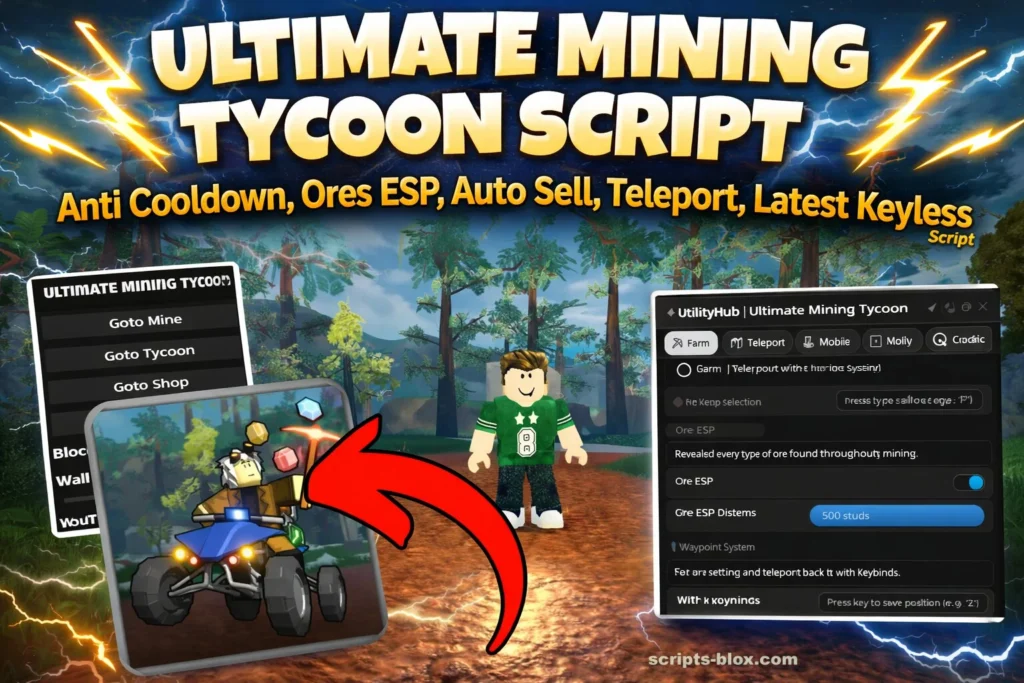
If you’re playing Ultimate Mining Tycoon on Roblox, you already know how addictive the grind can be digging for rare ores, upgrading machines, and building your mining empire. To speed things up, many players look for scripts that automate repetitive tasks or provide extra visibility in the game.
This guide explains Ultimate Mining Tycoon scripts, including, how script work, popular features like Ore ESP, Auto Sell, Anti-Cooldown, and Teleport, while also covering important considerations like safety, risks, and fair play.
What Is an Ultimate Mining Tycoon Script?
An Ultimate Mining Tycoon script is a piece of custom code used with a Roblox executor to modify gameplay behavior. These scripts can automate actions, highlight valuable resources, or unlock faster progression.
They are commonly used to:
- Reduce grinding time
- Locate rare ores quickly
- Automate selling and mining
- Move instantly across the map
Key Features Explained
1. Ore ESP (Extra Sensory Perception)
One of the most popular features, Ore ESP, visually highlights ores through walls or underground.
Benefits:
- Easily find rare ores like diamonds or special minerals
- Save time digging randomly
- Improve efficiency in resource collection
2. Auto Sell
Auto Sell automatically sells your inventory when it’s full.
Why it matters:
- No need to travel back to the sell point
- Continuous mining without interruption
- Faster income generation
3. Anti-Cooldown
Some actions in the game have cooldown timers. Anti-Cooldown scripts remove or reduce these delays.
Advantages:
- Use tools or machines repeatedly without waiting
- Faster mining cycles
- Boost overall productivity
4. Teleport System
Teleport scripts allow instant movement across the map.
Common uses:
- Jump to rare ore locations
- Move between base and mining zones instantly
- Access hidden or hard-to-reach areas
5. Auto Mining / Auto Farm
Some advanced scripts include automation features.
Features may include:
- Auto digging
- Auto ore collection
- Loop farming systems
Latest Working Scripts
1. Best Overall – Full GUI + Anti-Cooldown, Ore ESP, Auto Sell, Fly, Hitbox (Most recommended right now)
- loadstring(game:HttpGet(‘https://pastebin.com/raw/qdHLw1sx’))()
- Features: Ore ESP (filter + distance), Auto Sell, Anti-Cooldown (C4 reset), Ore Hitbox, Fly, Speed, Teleports, Mobile support.
2. VertigoCool Auto Farm Hub – Auto Mine + Auto Sell + ESP + Teleports
- loadstring(game:HttpGet(“https://raw.githubusercontent.com/VertigoCool99/scripts/refs/heads/main/UltimateMiningTycoon.lua”))()
- Features: Auto Mine Ores, Auto Sell, Instant Mine (buggy but works), Ore ESP, Ore Hitboxes, WalkSpeed, Teleports.
3. Gumanba Keyless Script – Teleport, ESP, Auto Sell, Keyless
- loadstring(game:HttpGet(“https://raw.githubusercontent.com/gumanba/Scripts/refs/heads/main/UltimateMining”, true))()
- Features: Lightweight, good for quick auto-farm.
4. UtilityHub Script
- loadstring(game:HttpGetAsync(“https://www.utilityhub.cloud/execution.lua”))()
5. Extra Reliable Fork (Ore ESP + Auto Features)
- loadstring(game:HttpGet(“https://raw.githubusercontent.com/gordefff/rbsx/refs/heads/main/UMT%20X%20YT%20ROBLOX%20SC%20HUB.lua”))()
How To Work Script
- Open Roblox and join Ultimate Mining Tycoon game.
- Open your script executor (Delta, Wave, KRNL, Codex, etc.).
- Copy one of these working loadstring scripts:
- loadstring(game:HttpGet(“https://raw.githubusercontent.com/VertigoCool99/scripts/refs/heads/main/UltimateMiningTycoon.lua”))()
- Paste the loadstring into your executor.
- Click Execute / Inject.
- A GUI will appear – Turn on Auto Mine, Auto Sell, ESP, etc.
Done! The script starts working automatically.
Popular Script Variations
Here are some commonly searched variations players look for:
Ultimate Mining Tycoon Script Delta
- Optimized for the Delta script executor
- Lightweight and stable
- Often includes ESP + Auto Sell combo
Ultimate Mining Tycoon Ore ESP Script
- Focuses mainly on resource visibility
- Great for beginners
- Minimal automation, more exploration-focused
Ultimate Drilling Tycoon Script
- Similar concept but tailored for drilling mechanics
- May include auto drill upgrades and faster extraction
Ultimate Mining Tycoon Alpha New Machines Script
- Designed for newer versions or updates
- Includes support for recently added machines
- May offer automation for advanced equipment
Mining Tycoon 2.0 Script
- Built for updated or reworked versions of the game
- Typically more advanced
- Better compatibility with newer mechanics
Also Read: Kat Script – Roblox (Keyless Script)
Are These Scripts Safe to Use?
This is important: scripts come with risks.
Potential Issues:
- Account bans or restrictions
- Malware in unsafe downloads
- Game instability or crashes
Safety Tips:
- Never download scripts from untrusted sources
- Avoid executors with a bad reputation
- Use a secondary Roblox account for testing
- Keep your system protected with antivirus software
Ethical Considerations
While scripts can make gameplay easier, they may:
- Disrupt fair play
- Affect other players’ experience
- Violate Roblox’s terms of service
If you enjoy progression and competition, playing without scripts often provides a more rewarding experience.
Conclusion
Ultimate Mining Tycoon scripts can significantly enhance gameplay by automating tasks and improving efficiency. Features like Ore ESP, Auto Sell, Teleport, and Anti-Cooldown are especially popular among players who want to progress faster.
However, they should be used cautiously. Understanding the risks and maintaining account safety is essential.
If you’re looking to get the most out of Ultimate Mining Tycoon, the best approach is to balance smart gameplay strategies with safe practices whether you use scripts or not.