![Roblox Scripts Hub [OFFICIAL 2026] » No Key Scripts](https://scripts-blox.com/wp-content/uploads/2025/11/Roblox-Script.webp)
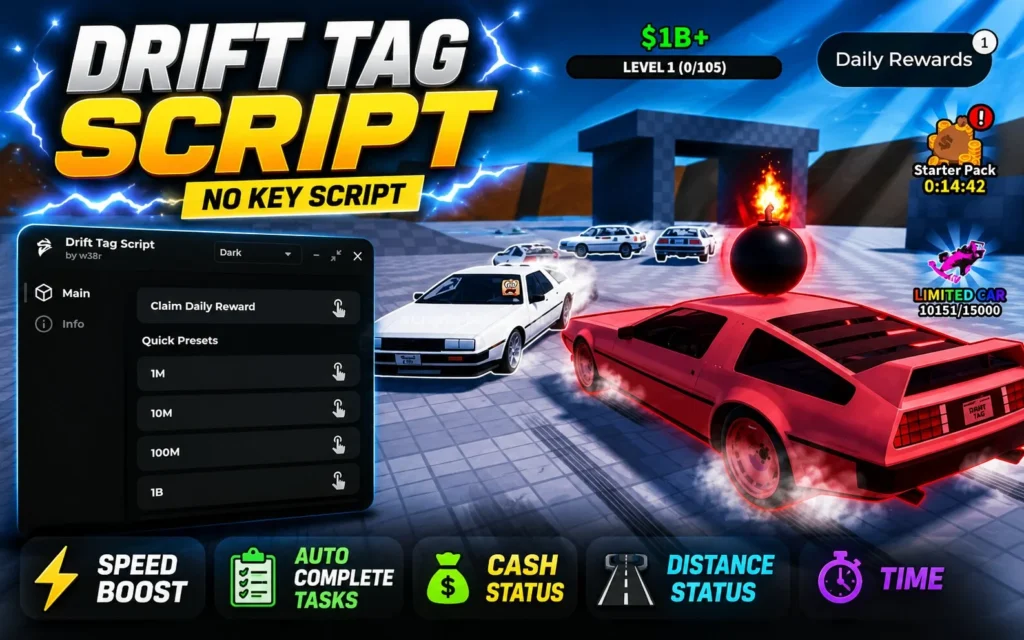
Drift Tag Script is a Roblox script designed to enhance your gameplay in Drift Tag by automating repetitive tasks and adding useful quality-of-life features. Depending on the script you use, it may include options like auto farming, speed adjustments, teleportation, and other gameplay tools to make progression faster and more convenient.
Features
- Auto Farm
- Auto Collect Rewards
- Cash Status
- Distance Status
- Time
- Teleport Options
- Speed Boost
- Auto Complete Tasks
- Easy-to-Use GUI
- Regular Updates
- Compatible with Popular Executors
Drift Tag Scripts
1. Drift Hub
loadstring(game:HttpGet("https://gist.githubusercontent.com/LickRazew/f39f1e1dc417b548c03eb6a74ed30d7b/raw"))()2. Auto Farm (OP) – Anti Afk, Cash Status, Distance Status, Time
script_key="Get key at discord: https://discord.gg/rPP8NnGGCR";
loadstring(game:HttpGet("https://api.luarmor.net/files/v3/loaders/fb040a626b795e0847ace2b53680052a.lua"))()3. Vehicle Drift Script
-- Drift Tag - Drift Physics (LocalScript)
local seat = script.Parent
local car = seat.Parent
local UserInputService = game:GetService("UserInputService")
local RunService = game:GetService("RunService")

local driftForce = 8500
local maxSpeed = 140
local isDrifting = false

local function getDriver()
	return seat.Occupant and seat.Occupant.Parent
end

seat:GetPropertyChangedSignal("Occupant"):Connect(function()
	if seat.Occupant then
		local humanoid = seat.Occupant
		humanoid.WalkSpeed = 0
	end
end)

UserInputService.InputBegan:Connect(function(input, processed)
	if processed then return end
	if input.KeyCode == Enum.KeyCode.LeftShift or input.KeyCode == Enum.KeyCode.ButtonL2 then
		isDrifting = true
	end
end)

UserInputService.InputEnded:Connect(function(input)
	if input.KeyCode == Enum.KeyCode.LeftShift or input.KeyCode == Enum.KeyCode.ButtonL2 then
		isDrifting = false
	end
end)

RunService.Heartbeat:Connect(function()
	if not seat.Occupant then return end
	local bodyVelocity = car:FindFirstChild("BodyVelocity") or Instance.new("BodyVelocity")
	bodyVelocity.MaxForce = Vector3.new(math.huge, 0, math.huge)
	bodyVelocity.Parent = car.PrimaryPart or car:FindFirstChild("Chassis") or car:FindFirstChildWhichIsA("BasePart")

	local look = car.PrimaryPart.CFrame.LookVector
	local speed = car.PrimaryPart.AssemblyLinearVelocity.Magnitude

	if isDrifting and speed > 25 then
		local side = car.PrimaryPart.CFrame.RightVector
		bodyVelocity.Velocity = (look * speed * 0.7) + (side * driftForce * 0.015)
	else
		bodyVelocity.Velocity = look * math.min(speed + 2, maxSpeed)
	end
end)How to Use
- Launch Roblox and join Drift Tag.
- Open your preferred Roblox script executor.
- Copy and paste the Drift Tag script into the executor.
- Execute the script and wait for the GUI to appear.
- Enable the features you want and enjoy the game.
Conclusion
A Drift Tag Script can help save time by automating repetitive actions and providing extra gameplay tools. Always use scripts responsibly, as using third-party scripts may violate Roblox’s Terms of Use and could result in account restrictions.