![Roblox Scripts Hub [OFFICIAL 2026] » No Key Scripts](https://scripts-blox.com/wp-content/uploads/2025/11/Roblox-Script.webp)
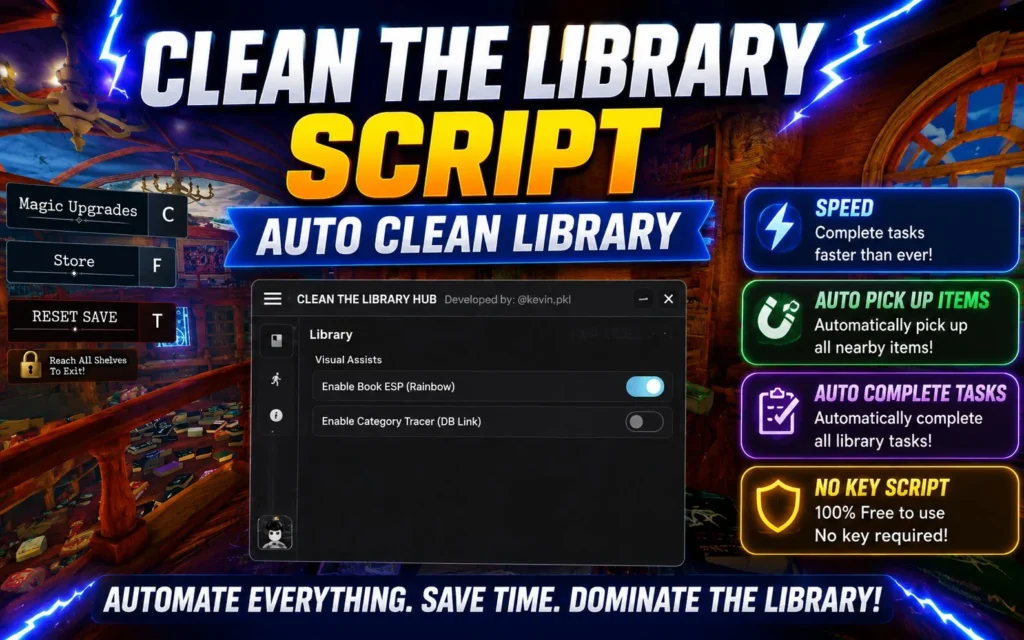
Clean The Library Script is a Roblox utility script created for players who want to automate repetitive tasks in the Clean The Library game. Instead of manually collecting items and cleaning every area, the script can perform several actions automatically, helping players complete tasks more efficiently.
Many Roblox players use scripts to save time while testing game mechanics or exploring different features. The available functions depend on the script version and the executor you are using.
Main Features
Most updated versions of the Clean The Library Script may include:
- Auto Clean Library
- Auto Collect Trash
- Auto Pick Up Items
- Auto Complete Tasks
- Fast Interaction
- WalkSpeed Adjustment
- Jump Power Option
- Anti-AFK
- Simple User Interface
- Regular Script Updates
Keep in mind that features can change as the game receives new updates.
Why Players Use This Script
Cleaning every section of the library manually can become repetitive after long play sessions. This script helps automate common actions, making gameplay smoother and allowing players to focus on exploring the game instead of repeating the same tasks.
Some players also use it to test game mechanics or complete routine objectives more quickly.
Also Read: Hide From The Villain Script » Roblox [No Key Script]
Current Working Scripts
- loadstring(game:HttpGet(“https://raw.githubusercontent.com/KEV1Npkrl/Clean-The-Library-HUB/refs/heads/main/Clean-The-Library-HUB2.lua”))()
- loadstring(game:HttpGet(“https://HellHub.pro/loader.lua”))()
- loadstring(game:HttpGet(“https://y2kscript.xyz”))()
How to Use Clean The Library Script
Using the script is generally straightforward.
- Launch Roblox and open Clean The Library.
- Start your preferred Roblox script executor.
- Copy the latest Clean The Library Script.
- Paste the script into the executor.
- Attach the executor to Roblox.
- Execute the script and select the features you want to enable.
Always use the latest version of the script, as outdated versions may stop working after game updates.
Script Features Explained
- Auto Clean – Automatically performs cleaning actions without requiring constant manual input.
- Auto Collect – Collects available trash, objects, or required items around the map whenever possible.
- Auto Tasks – Completes supported objectives automatically, reducing repetitive gameplay.
- Anti-AFK – Prevents automatic disconnection when the game detects long periods of inactivity.
- Speed Options – Allows movement speed adjustments for faster navigation across the library.
Also Read: Zephyr Script Roblox » [Keyless Script]
Is Clean The Library Script Safe?
Scripts are unofficial tools and are not created or supported by Roblox. Using any third-party script carries certain risks, including account warnings or other moderation actions if it violates Roblox’s rules.
If you decide to use a script, do so responsibly and understand the possible consequences.
Tips for Better Performance
- Use the latest script version.
- Keep your executor updated.
- Disable unnecessary features if you experience lag.
- Restart Roblox after major game updates.
- Test new features carefully before enabling everything at once.
Frequently Asked Questions
Is Clean The Library Script free?
Yes. Most versions shared by the Roblox scripting community are available at no cost.
Does it work after every update?
Not always. Game updates can break existing scripts, so developers usually release compatible versions afterward.
Can the script get patched?
Yes. Game developers can change the game code at any time, which may cause certain script functions to stop working until they are updated.
Conclusion
Clean The Library Script is designed for Roblox players looking to automate repetitive cleaning tasks and simplify gameplay. Features such as Auto Clean, Auto Collect, Auto Tasks, and Anti-AFK can make long sessions more convenient when supported by the current game version.
Because Roblox games receive frequent updates, it’s always a good idea to use the latest script release and remember that third-party scripts are unofficial and may stop working or carry account risks.