![Roblox Scripts Hub [OFFICIAL 2026] » No Key Scripts](https://scripts-blox.com/wp-content/uploads/2025/11/Roblox-Script.webp)
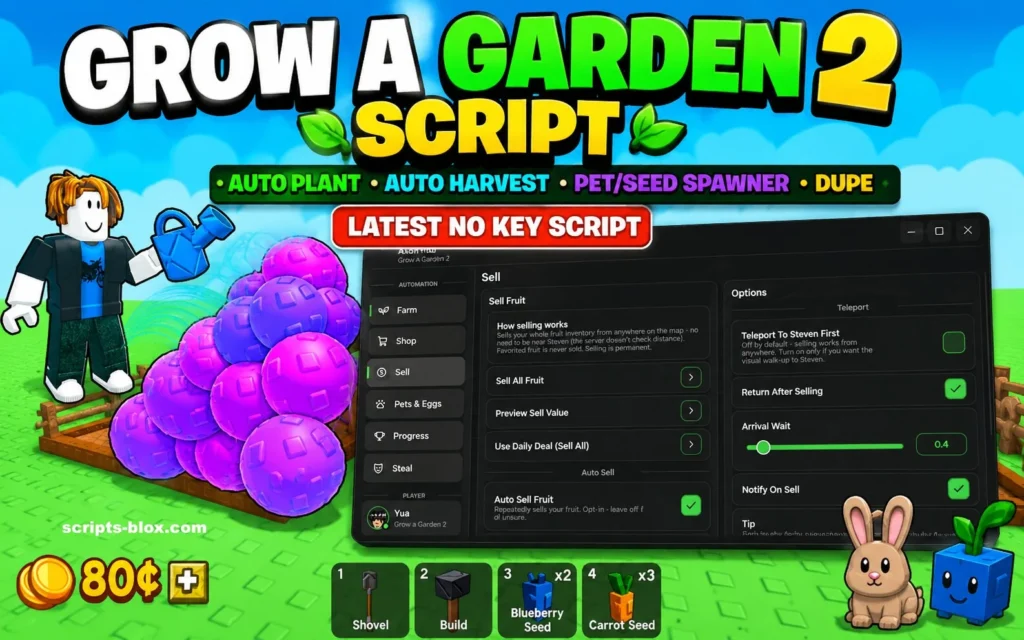
Grow a Garden 2 Script is a custom Roblox script designed for the new version of the popular farming game Grow a Garden 2. Many players use scripts to automate repetitive tasks such as planting crops, harvesting plants, collecting rewards, and managing their gardens more efficiently.
The updated version of Grow a Garden 2 introduces new farming mechanics, pets, progression systems, and garden management features, making the gameplay larger and more engaging than the original experience.
Key Features of Grow a Garden 2 Script
Most Grow a Garden 2 scripts include the following features:
- Auto Plant
- Automatically plants seeds in available garden spaces without manual interaction.
- Auto Harvest
- Harvests fully grown crops instantly, helping players collect resources faster.
- Auto Sell
- Automatically sells harvested crops and items to earn in-game currency.
- Auto Collect Rewards
- Collects daily rewards, event rewards, and other available bonuses.
- Auto Buy Seeds
- Purchases seeds automatically when stock becomes available.
- Pet Management
- Some advanced scripts help players manage pets and related farming bonuses.
- Anti-AFK
- Prevents the game from marking the player as inactive during long farming sessions.
- Easy User Interface
- Many modern scripts provide a simple control panel where players can enable or disable features with one click.
Why Players Use Grow a Garden 2 Scripts
Grow a Garden 2 focuses heavily on farming, collecting crops, and expanding gardens. Since these tasks can become repetitive over time, some players use scripts to automate routine actions and save time.
Scripts are particularly popular among players who want to:
- Reduce repetitive farming tasks
- Manage larger gardens more efficiently
- Collect resources faster
- Experiment with automation features
Latest Working Grow a Garden 2 Scripts
1. Gumanba / Basic Auto farm Script (Popular No-Key)
- loadstring(game:HttpGet(“https://raw.githubusercontent.com/gumanba/Scripts/main/GrowaGarden”))()
2. Axon Hub – Spawn Pet, Seed, Auto Farm, All Fruits Keyless Script
- loadstring(game:HttpGet(“https://api.luarmor.net/files/v3/loaders/97c3f6db55a2cf72141537a85458e5a7.lua”))()
3. Nootmaus OP Grow a Garden Script
- loadstring(game:HttpGet(“https://raw.githubusercontent.com/nootmaus/GrowAAGarden/refs/heads/main/mauscripts”))()
4. Depthso Autofarm / Harvest Script
- loadstring(game:HttpGet(“https://raw.githubusercontent.com/depthso/Grow-a-Garden/refs/heads/main/autofarm.lua”))()
5. Doggoman Autofarm + Sheckles Dupe
- loadstring(game:HttpGet(“https://raw.githubusercontent.com/doggoman230/growagarden/refs/heads/main/script”))()
6. Speed Hub X (Pet/Seed Spawner + Farm)
- loadstring(game:HttpGet(“https://raw.githubusercontent.com/AhmadV99/Speed-Hub-X/main/Speed%20Hub%20X.lua”, true))()
7. Mozi Hub / General Farm + Dupe
- loadstring(game:HttpGet(“https://raw.githubusercontent.com/MoziIOnTop/MoziIHub/refs/heads/main/GrowaGarden”))()
8. Limit Hub Grow a Garden 2 Scripts
- loadstring(game:HttpGet((‘https://raw.githubusercontent.com/FakeModz/LimitHub/refs/heads/main/LimitHub_Loader.lua’)))()
9. Grow a Garden 2 Pet Spawner Script
- loadstring(game:HttpGet(“https://raw.githubusercontent.com/iwantsom3/script/refs/heads/main/Gag”))()
How to use:
- Use a good executor (e.g., Delta, Solara, Wave, etc.).
- Join Grow a Garden 2.
- Execute the loadstring.
- Enable features like Auto Farm, Auto Sell, Auto Plant, etc. in the GUI (if it has one).
Benefits of Using a Script
Some commonly mentioned benefits include:
- Faster crop collection
- Less manual clicking
- Automated garden management
- Convenient farming experience
- Time-saving features
Risks of Using Roblox Scripts
While scripts may offer convenience, players should understand the risks before using them.
- Account Risk
- Using unauthorized third-party scripts can violate Roblox rules and may result in warnings, restrictions, or account penalties.
- Security Concerns
- Scripts downloaded from unknown sources can contain malicious code that may compromise your device or Roblox account.
- Game Stability Issues
- Poorly optimized scripts may cause crashes, bugs, or performance problems.
Tips for Grow a Garden 2 Players
Whether you use automation tools or play normally, these tips can help improve your progress:
- Focus on high-value crops whenever possible.
- Log in regularly to collect rewards.
- Upgrade your garden steadily instead of spending resources too quickly.
- Take advantage of new updates and seasonal events.
- Learn the strengths of different pets and farming upgrades.
Also Read: Grow a Garden Script – [No Key] Pet Spawner Script
Is Grow a Garden 2 Worth Playing?
Yes. Grow a Garden 2 expands on the success of the original Grow a Garden, one of Roblox’s most popular farming experiences. The sequel introduces new systems, pets, progression mechanics, and additional gameplay depth while keeping the relaxing farming style that players enjoy.
Conclusion
Grow a Garden 2 Script is a popular tool among Roblox players looking to automate farming tasks and simplify garden management. Features such as Auto Plant, Auto Harvest, Auto Sell, and Auto Collect can make progression faster and more convenient.
However, players should always be aware of the potential risks associated with third-party scripts and prioritize account safety. For the best experience, enjoy Grow a Garden 2 responsibly and stay updated with the latest game features and updates.