![Roblox Scripts Hub [OFFICIAL 2026] » No Key Scripts](https://scripts-blox.com/wp-content/uploads/2025/11/Roblox-Script.webp)
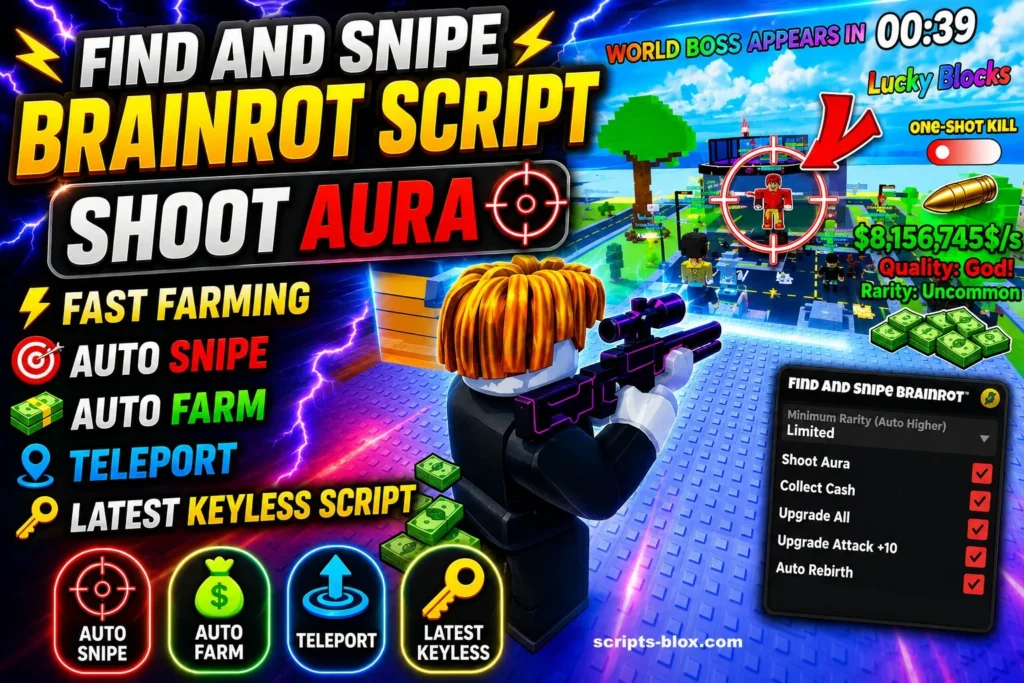
If you are looking for a powerful Find and Snipe Brainrot Script for Roblox, this guide will help you understand what the script does, its features, and why many players use it in the Roblox game Find and Snipe Brainrot. These scripts are designed to make gameplay faster, smoother, and more fun by adding automation and extra in-game tools.
What Is Find and Snipe Brainrot Script?
A Find and Snipe Brainrot script is a custom Lua script made for Roblox. It allows players to unlock special gameplay functions that are not available in the normal game experience. Most scripts are used through Roblox executors and include features like auto shooting, ESP, teleportation, auto farming, and aim assistance.
Players often use these scripts to improve accuracy, save time, and quickly progress through the game. Some versions also include keyless support and mobile compatibility.
Popular Script Features
Here are some of the most common features available in Find and Snipe Brainrot scripts:
- Auto Shoot
- Aim Assist / Aimbot
- ESP Player Tracking
- Auto Collect Rewards
- Teleport Functions
- Fast Farming
- Auto Upgrade System
- Speed Boost
- Keyless Execution
- Mobile and PC Support
These tools help players locate enemies faster and improve overall gameplay performance.
Why Players Use These Scripts
Many Roblox players use Find and Snipe Brainrot scripts because the game can become repetitive after long grinding sessions. Automation features help reduce manual work and make farming rewards much easier.
Scripts can also help newer players learn the game mechanics faster by improving targeting and movement systems. Some advanced scripts even include custom graphical interfaces for easier controls.
Latest Working Scripts
1. Find and Snipe Brainrot Script – Auto Snipe + ESP, Speed Boost
- loadstring(game:HttpGet(“https://raw.githubusercontent.com/tienkhanh1/spicy/main/Chilli.lua”))()
2. Brainrot Script – Teleport + Auto Find, Secret Finder, Auto Collect
- loadstring(game:HttpGet(“https://raw.githubusercontent.com/gumanba/Scripts/refs/heads/main/StealaBrainrot”, true))()
3. OP Brainrot Script – Auto Steal + Fast Farm, ESP, Teleport System, Infinite Jump
- loadstring(game:HttpGet(“https://pastebin.com/raw/2WEXn2UR”))()
4. Keyless Brainrot Script – Mobile & PC, Keyless
- loadstring(game:HttpGet(“https://raw.githubusercontent.com/m00ndiety/Steal-a-brainrot/refs/heads/main/Steal-a-Brainrot”))()
5. Best Brainrot Finder Script – Instant Steal, Trade Freeze
- loadstring(game:HttpGet(“https://pastefy.app/YK1UG335/raw”))()
How To Use Find and Snipe Brainrot Script
- Download a Roblox executor.
- Open Roblox and join the game.
- Copy any script above.
- Paste the script into your executor.
- Click Execute.
- Enjoy the features.
Also Read: Murder Duels Script » Roblox [No Key Script]
Important Safety Information
Before using any Roblox script, it is important to understand the risks:
- Using scripts may violate Roblox rules.
- Your Roblox account could receive warnings or bans.
- Some unknown script files may contain unsafe software.
- Always avoid downloading files from untrusted websites.
Using an alternate Roblox account is generally safer for testing scripts.
Conclusion
Find and Snipe Brainrot Script has become popular among Roblox players who want faster gameplay, better aiming tools, and automation features. With options like auto shoot, ESP, teleport, and auto farming, these scripts can completely change the gameplay experience.
However, players should always stay careful when downloading or running third-party scripts and only use trusted sources for better safety and performance.