![Roblox Scripts Hub [OFFICIAL 2026] » No Key Scripts](https://scripts-blox.com/wp-content/uploads/2025/11/Roblox-Script.webp)
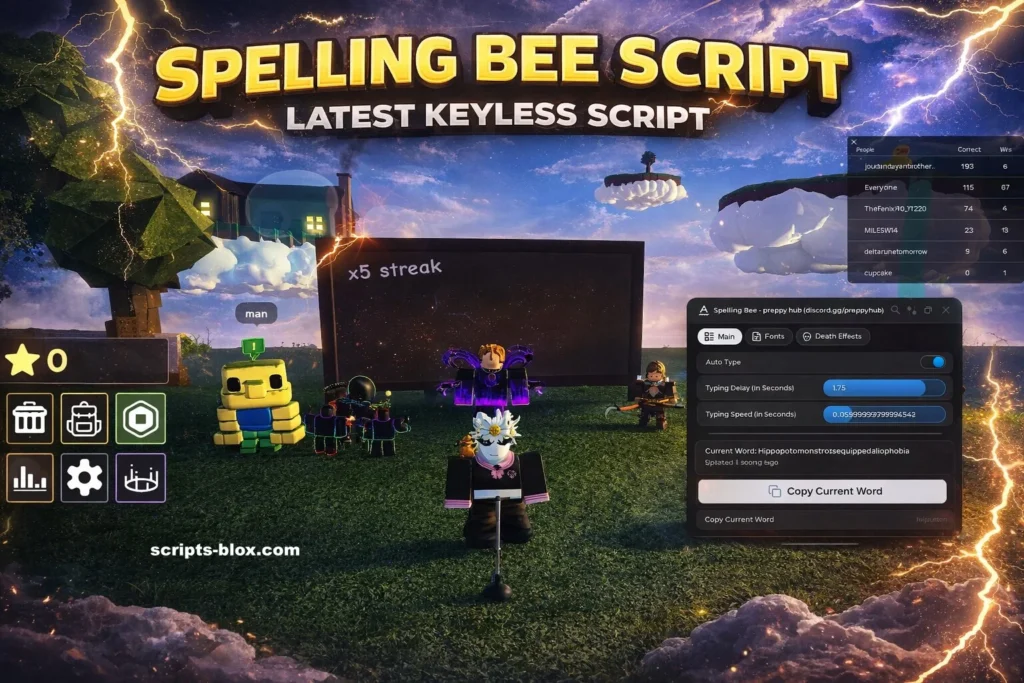
The Roblox gaming world is full of creative and competitive experiences, and one of the popular word-based games is the Spelling Bee game. To gain an edge in this type of game, some players look for what is commonly known as a Spelling Bee Script.
Before diving in, it’s important to understand that scripts in Roblox are usually external code or tools that interact with the game in unintended ways. This guide explains what a Spelling Bee Script is, why players search for it, its common features, and the risks involved.
What is Spelling Bee Script?
A Spelling Bee Script refers to a piece of code that some players use in Roblox to automate or assist spelling-related tasks inside the Spelling Bee game.
In simple terms, it is designed to reduce manual effort by helping players guess or complete words faster than normal gameplay allows. These scripts are not part of the official game and are typically created by third parties.
Why Players Use Scripts in Spelling Bee
Players are often attracted to scripts for different reasons, such as:
- To progress faster in the game
- To achieve higher scores easily
- To compete with experienced players
- To explore automation features for fun or curiosity
However, it’s worth noting that using such tools often goes against fair play principles and can negatively affect the gaming experience for others.
Also Read: Funky Friday Script » Auto Play, Perfect Score (No Key)
Key Features of Spelling Bee Script
While different scripts may vary, they commonly claim to offer features like:
- Auto Word Completion: Automatically suggests or completes words
- Speed Boost: Helps respond faster in rounds
- Answer Assistance: Provides hints or possible correct spellings
- Automation Tools: Reduces manual typing effort
- User Interface Overlay: Displays quick options during gameplay
These features are typically designed to give an advantage beyond normal gameplay mechanics.
Latest Working Scripts
1. Preppy Hub (Most Popular & Recommended – Undetectable Auto Type)
- Features: Keyless, Fast auto-type, adjustable typing speed/delay, realistic typos, dynamic speed, typo correction. Works on PC & Mobile.
- loadstring(game:HttpGet(“https://raw.githubusercontent.com/PreppyHub/PreppyHub/refs/heads/main/PreppyHub”))()
2. Moon Hub / Fast Auto Solve Script (Auto Solve + Extras)
- Good for quick wins, hidden areas, and smooth performance.
- loadstring(game:HttpGet(“https://pastebin.com/raw/JPQa3tza”, true))()
3. Herkle Hub (Auto Solve, Instant Win Style)
- Often praised for reliability in competitive rounds.
- loadstring(game:HttpGet(“https://raw.githubusercontent.com/decryp1/Herkle-Hub/refs/heads/main/game%20redirect”))()
4. Another Strong Alternative (Luxiax / Jarad Style)
- For auto-collect and bypass features.
- loadstring(game:HttpGet(“https://raw.githubusercontent.com/jazzedd/LuxiaxScript/refs/heads/main/Script”))()
5. Pluto / Speed Typing Variant
- For extreme speed typing while staying somewhat hidden.
- loadstring(game:HttpGet(“https://pastebin.com/raw/zKNvt4FZ”, true))()
How to Use Script
- Open Roblox and join the Spelling Bee game.
- Inject your Roblox script executor.
- Paste one of the loadstrings above into the executor box.
- Click Execute.
- The script should load a GUI or start auto-typing automatically (some have no visible UI and just work in background).
That’s it.
Also Read: Blade Ball Script » Auto Parry, Auto Spam [Keyless Script]
Risks and Safety Concerns
Using or downloading Spelling Bee Scripts comes with several important risks:
- Account Bans: Roblox can suspend or permanently ban accounts
- Security Threats: Many scripts come from unsafe or untrusted sources
- Malware Risk: Some files may contain harmful software
- Data Theft: Personal information can be exposed
- Unfair Gameplay: It reduces the fun and balance of the game
Because of these risks, it is always safer to avoid using unofficial scripts.
Conclusion
A Spelling Bee Script in Roblox is often seen as a shortcut tool designed to automate or assist gameplay in the Spelling Bee game. While it may sound appealing for faster progress or higher scores, it comes with serious risks including account penalties and security issues.
For the best experience, players are encouraged to enjoy the game fairly, improve their spelling skills naturally, and compete based on ability rather than external tools. This keeps the game fun, safe, and fair for everyone.