![Roblox Scripts Hub [OFFICIAL 2026] » No Key Scripts](https://scripts-blox.com/wp-content/uploads/2025/11/Roblox-Script.webp)
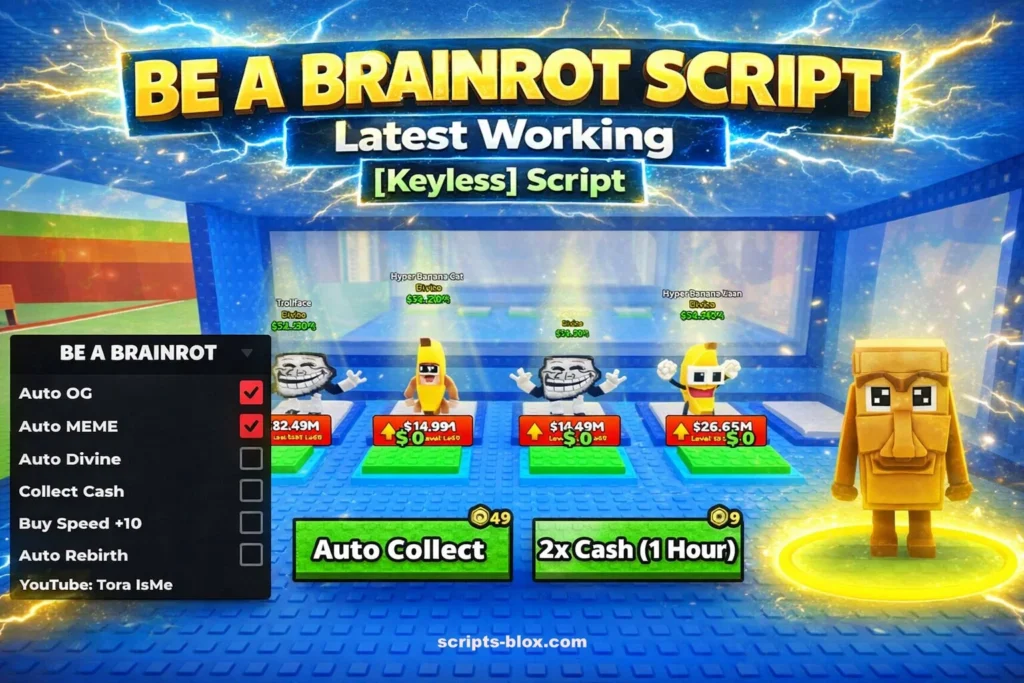
If you’ve been playing Be a Brainrot on Roblox, you already know how chaotic, funny, and addictive it can be. The game thrives on randomness, fast-paced humor, and over-the-top mechanics which is exactly why many players look for ways to enhance their experience. One popular method is using a Be a Brainrot Script.
In this guide, you’ll learn what a Be a Brainrot Script is, how it works, its benefits, risks, and smarter alternatives to improve your gameplay safely.
What Is a Be a Brainrot Script?
A Be a Brainrot Script is a custom code used in Roblox exploit environments to modify or automate gameplay in Be a Brainrot. These scripts can give players advantages or unlock features that aren’t normally accessible through regular play.
Depending on the script, it can:
- Automate repetitive actions
- Unlock hidden or premium features
- Increase speed or movement abilities
- Enable auto-farming or progression boosts
- Trigger funny or exaggerated in-game effects
These scripts are usually written in Lua, the programming language used by Roblox.
Why Players Use Be a Brainrot Scripts
There are several reasons why players search for and use scripts in Be a Brainrot:
1. Faster Progression
Grinding in chaotic games can take time. Scripts can automate tasks so players level up or earn rewards more quickly.
2. Enhanced Fun
Some scripts amplify the randomness and humor, making the game even more entertaining.
3. Unlocking Features
Certain scripts allow access to abilities or content that would otherwise require long gameplay hours.
4. Experimentation
Tech-savvy players enjoy experimenting with game mechanics and pushing the limits of what’s possible.
Common Features of Be a Brainrot Scripts
Not all scripts are the same, but many include popular features like:
- Auto Actions: Automatically perform tasks like clicking, moving, or collecting
- Speed Boosts: Increase player movement speed beyond normal limits
- Infinite Resources: Simulate unlimited in-game currency or items
- Teleportation: Instantly move to different locations
- Custom Effects: Add visual or gameplay changes for fun
Keep in mind that availability depends on the specific script and how updated it is.
Also Read: Chiyo Script – Roblox Sailor Piece Script [Keyless]
Latest Working Brainrot Script
1. Gumanba StealaBrainrotMOD (Most Popular – Instant Steal + Anti-Hit + Noclip)
- loadstring(game:HttpGet(“https://raw.githubusercontent.com/gumanba/Scripts/refs/heads/main/StealaBrainrotMOD”, true))()
2. m00ndiety Steal-a-Brainrot (Keyless Auto Steal + ESP)
- loadstring(game:HttpGet(“https://raw.githubusercontent.com/m00ndiety/Steal-a-brainrot/refs/heads/main/Steal-a-Brainrot”))()
3. TraxScript Visual Hub (Brainrot Spawner + Auto Farm + Dupe)
- loadstring(game:HttpGet(“https://gitlab.com/traxscriptss/traxscriptss/-/raw/main/visual2.lua”))()
4. DoitV1 Main Script (Infinite Jump + Player ESP + Speed Boost)
- loadstring(game:HttpGet(“https://raw.githubusercontent.com/MynameIsDoit/doitv1/refs/heads/main/main.lua”))()
5. Gumanba StealaBrainrot (Core OP Script – Auto Steal + Godmode)
- loadstring(game:HttpGet(“https://raw.githubusercontent.com/gumanba/Scripts/refs/heads/main/StealaBrainrot”, true))()
6. Luarmor Polaris Hub (Premium Features – Anti-Hit + Desync)
- loadstring(game:HttpGet(“https://api.luarmor.net/files/v3/loaders/d7be76c234d46ce6770101fded39760c.lua”))()
7. Pastefy Zk7UIkDN OP Script (Instant Steal + Auto Buy)
- loadstring(game:HttpGet(“https://pastefy.app/Zk7UIkDN/raw”))()
8. Sufyan Brainrot Main (Mobile + PC – Full GUI with Spawner)
- loadstring(game:HttpGet(“https://raw.githubusercontent.com/Sufyan123-bit/Scripts/refs/heads/main/stealsbrainrotmainscript.lua”, true))()
9. Pastefy Infinite Jump + Lock Script
- loadstring(game:HttpGet(‘https://pastefy.app/AHeQea76/raw’))()
10. Chilli Script / Chilli Hub (Best for 2026 Updates – Anti-Hit + Noclip + Instant Steal)
- loadstring(game:HttpGet(“https://raw.githubusercontent.com/tienkhanh1/spicy/main/Chilli.lua”))()
How to use:
- Open your Roblox executor (like delta script exe).
- Join Be a Brainrot (or Steal a Brainrot).
- Paste one script at a time and execute.
- Enjoy the GUI that pops up.
Are Be a Brainrot Scripts Safe?
This is where things get important.
Using scripts in Roblox games comes with serious risks:
1. Account Bans
Roblox has strict policies against exploiting. Using scripts can result in temporary or permanent bans.
2. Security Threats
Many script files come from unverified sources. They may include malware, keyloggers, or harmful code.
3. Game Instability
Scripts can cause crashes, glitches, or unexpected behavior in the game.
4. Loss of Progress
If your account gets banned or corrupted, you could lose all your progress.
Safe Alternatives to Using Scripts
If you want to improve your gameplay without risking your account, consider these safer options:
Learn Game Mechanics
Understanding how Be a Brainrot works can give you a natural advantage.
Play with Friends
Team strategies and coordination often outperform script-based shortcuts.
Practice Timing and Movement
Skill-based improvements can make a huge difference in chaotic games.
Stay Updated
Developers often add new features and improvements keeping up with updates can give you an edge.
Tips for Better Gameplay in Be a Brainrot
Even without scripts, you can still dominate the game:
- Focus on reaction time things happen fast
- Learn patterns in chaotic events
- Use the environment to your advantage
- Don’t take the game too seriously it’s meant to be fun
Conclusion
A Be a Brainrot Script might sound like an easy way to enhance your Roblox experience, but it comes with significant risks. While scripts can offer automation, faster progression, and extra fun, they can also lead to account bans and security issues.
For most players, the best approach is to enjoy the game as intended, improve skills naturally, and embrace the randomness that makes Be a Brainrot so unique.